How I Inventoried a 17-Tree HOA in 20 Minutes
Clearwater HOA asked for a tree inventory on a 450 Mall Blvd common area in Savannah, GA. Seventeen trees, mixed species, typical HOA headaches: a couple of high-risk Bradford Pears near the parking lot, an overgrown Sabal Palm cluster, some Crape Myrtles that hadn't been touched in years.
The old playbook: clipboard, DBH tape, field guide, a camera, a stack of notecards, and three hours back at the office typing it all up. I did this one with a phone. Start to finished PDF in about 20 minutes.
Here's exactly how it went.
Step 1: Drop GPS pins as you walk the site
I opened the site, tapped “New Site Visit”, and started walking the perimeter. Every tap-and-hold drops a GPS pin on the satellite map. By the time I'd finished a loop around the common area, all 17 trees were pinned, color-coded by capture order, and plotted against the aerial imagery.
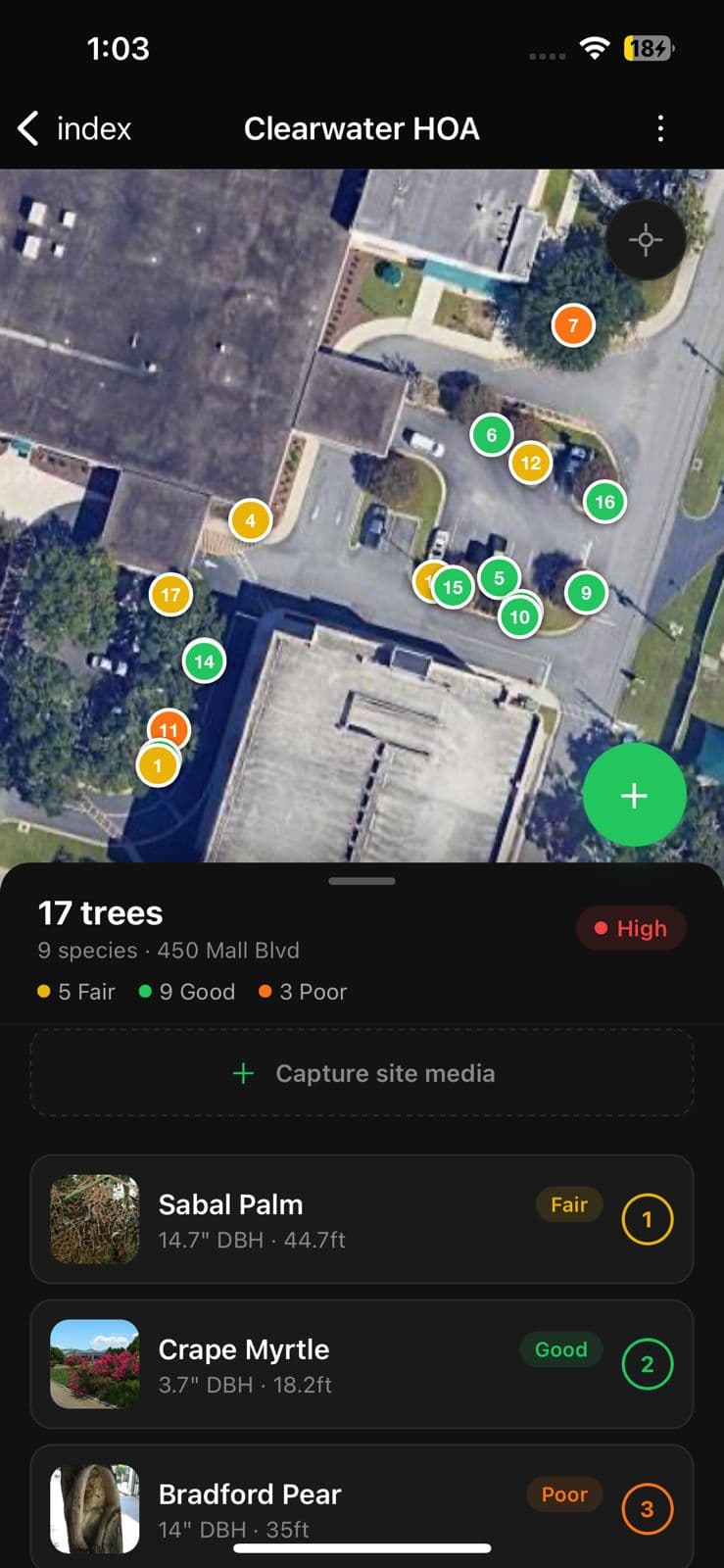
No clipboard. No “wait, did I already do that one?” The map shows me in real time what's captured and what isn't.
Step 2: Photograph each tree — AI does the rest
For each pin I snapped one wide shot of the tree plus a trunk close-up. That's it. The app ran each photo through vision AI and came back with species, confidence score, DBH, height, canopy spread, health grade, and a hazard rating.
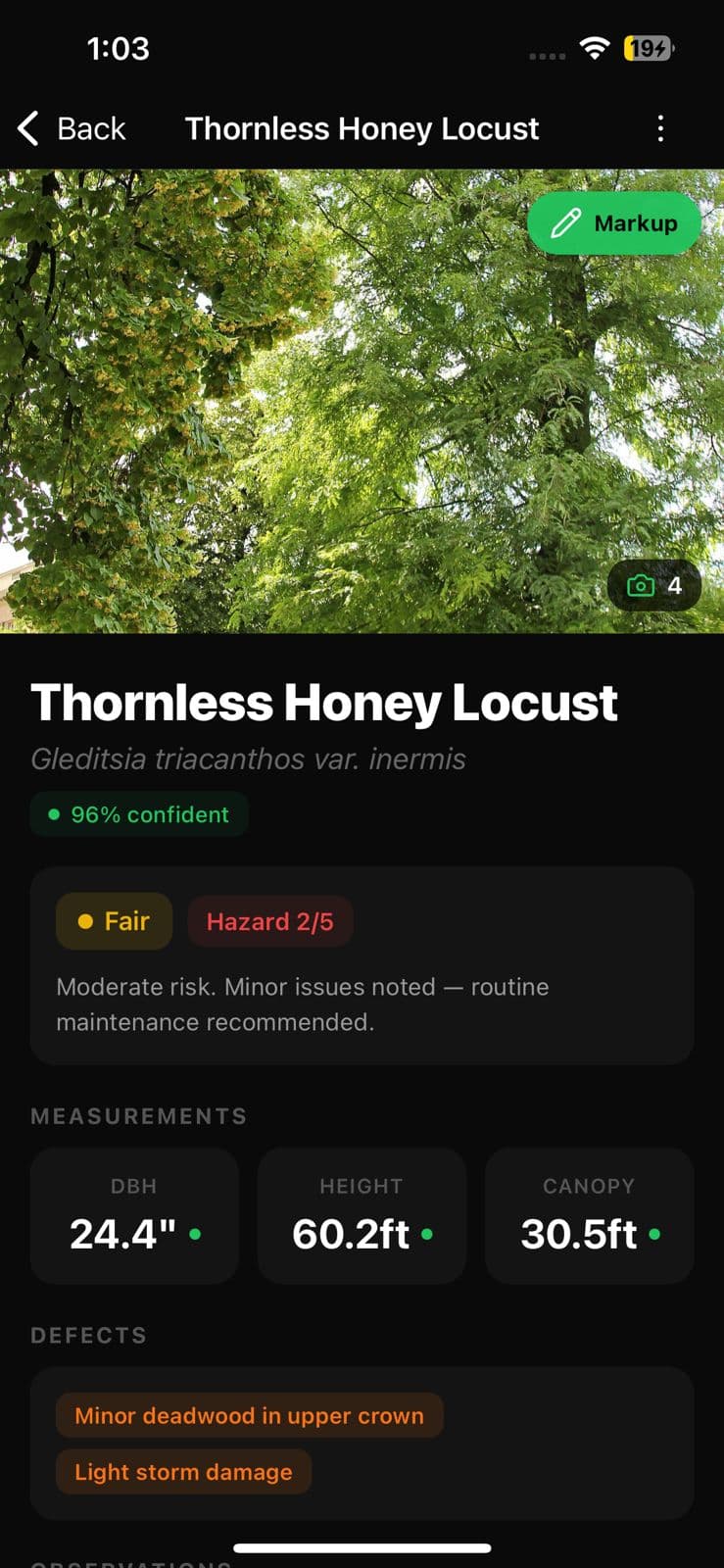
The detail page gave me everything a line-entry in a spreadsheet used to give me — but with photo evidence attached and defects/observations already filled in.
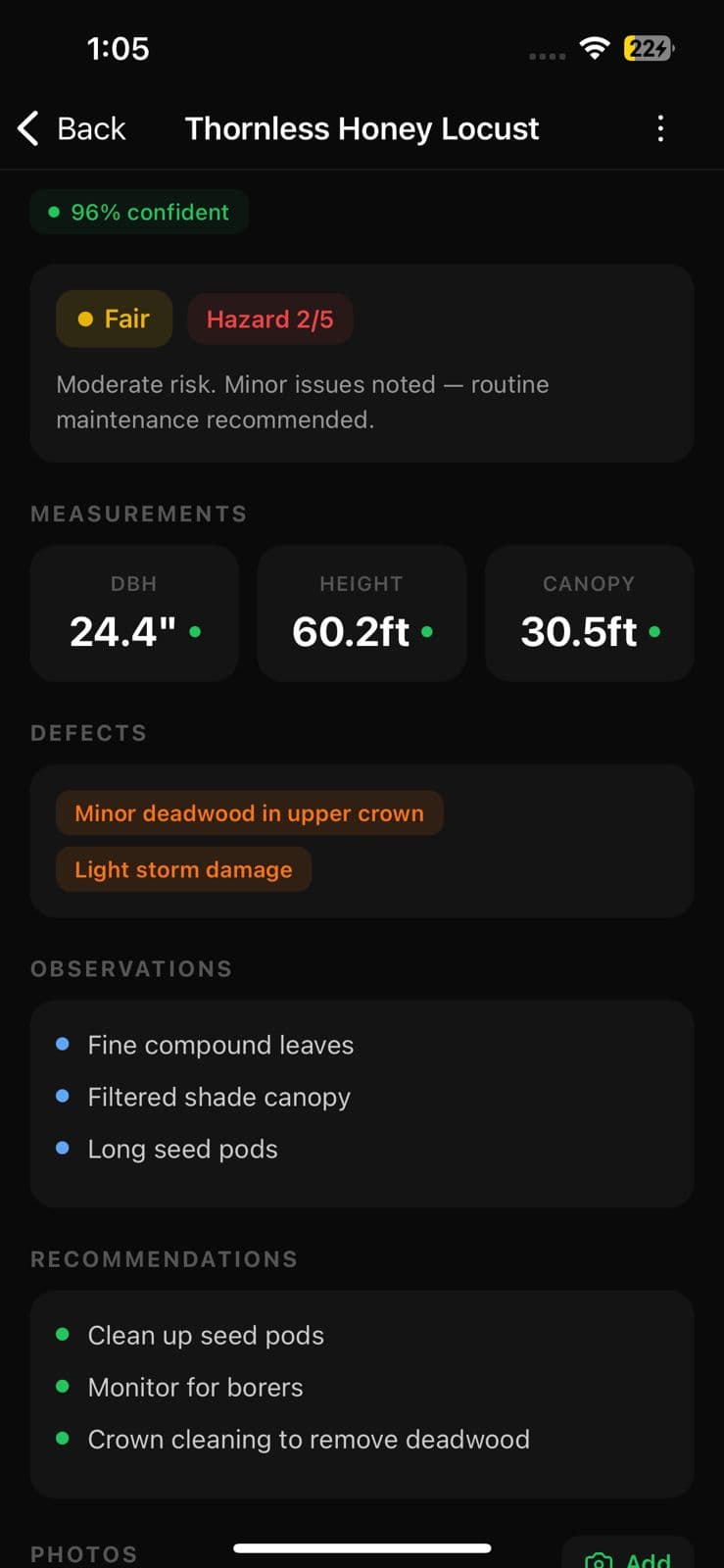
About 30 seconds per tree, including the time to verify the ID (which I did on every one — AI doesn't replace judgment, it eliminates data entry). The three species it got less confident on, I corrected in one tap.
Step 3: Mark up defects where they are
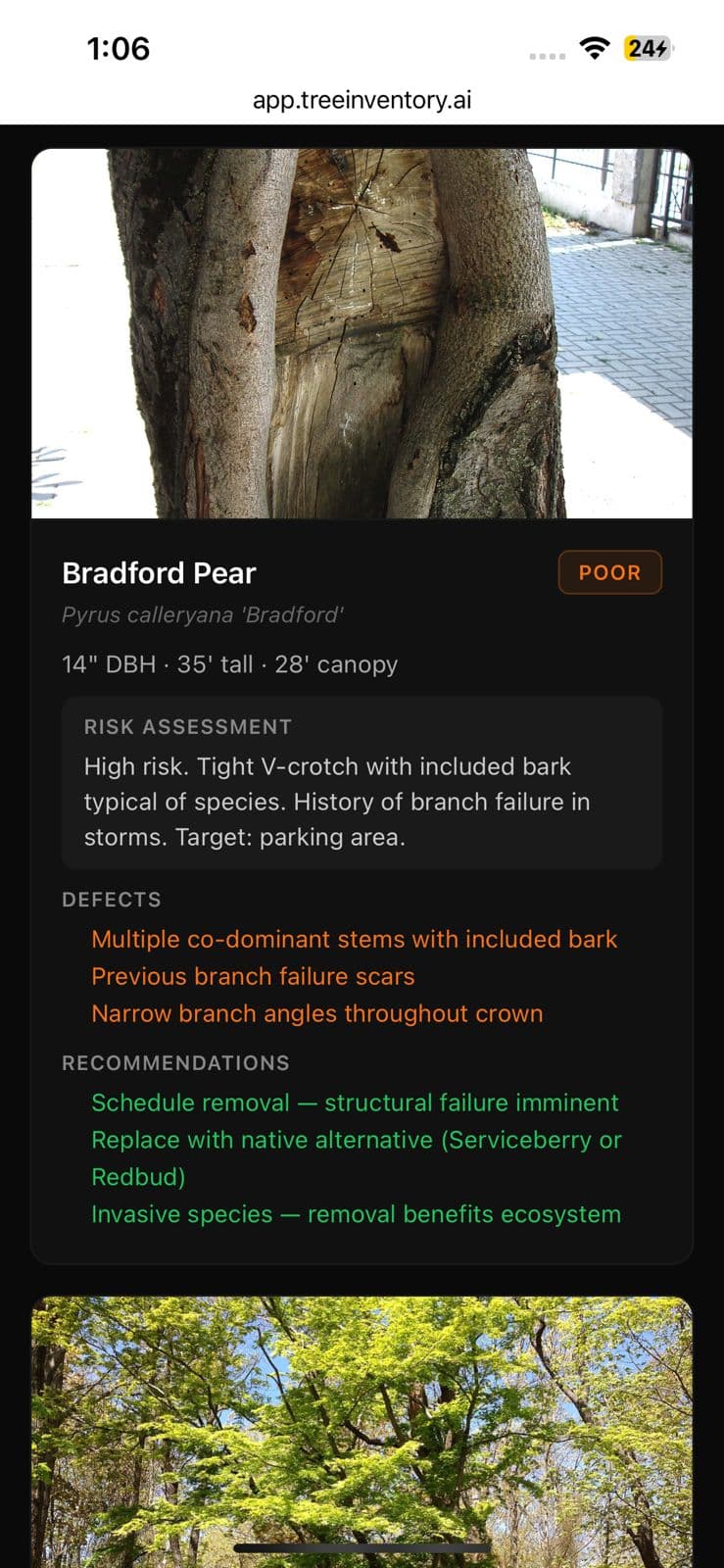
One of the Bradford Pears had a textbook co-dominant stem with included bark. I pulled up its photo, drew a red arrow at the union, and added a “needs crown treatment” label. Two seconds.
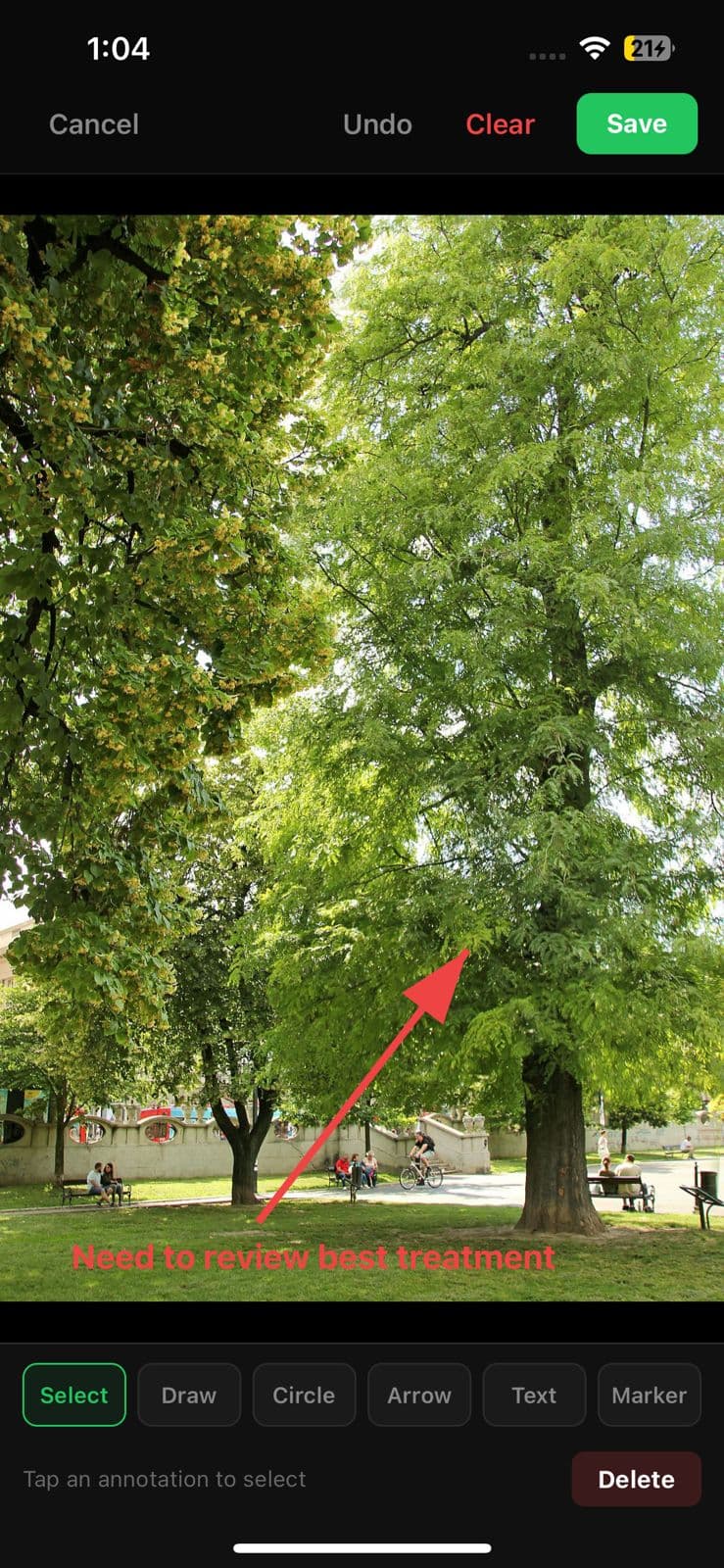
The marked-up photo now follows that tree everywhere — it's in the mobile detail, the PDF report, and the web shareable link. No “which photo was that defect on?” moment later.
Step 4: Generate the report — one tap
Back in the parking lot, I tapped the share menu and hit Generate Report. A full property PDF assembled itself: cover page, species summary, risk matrix, and a per-tree page with photos, measurements, and recommendations.
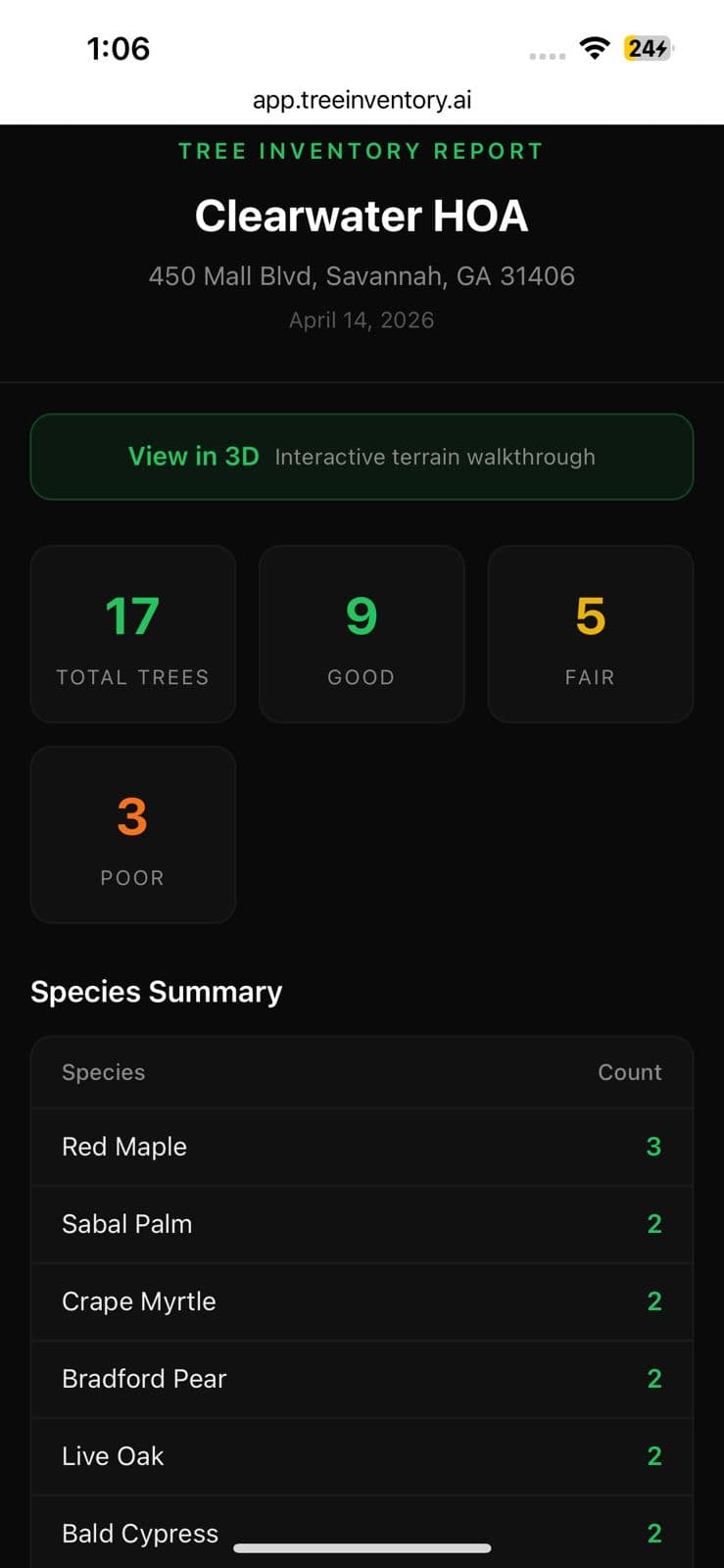
The risk narrative on the Bradford Pear was the part I expected to write manually. It was already written:
The math
- Traditional way: 17 trees × 2 min/tree capture = 34 min in the field. Then 90–120 min of office data entry and report formatting. Total: 2–2.5 hours.
- This way: 17 trees × ~30 sec/tree = 9 min of capture. ~5 min of walking and GPS pins. ~5 min reviewing the AI output. Report generation: one tap. Total: ~20 minutes, finished on site.
That's not a demo. That's what a real Saturday at an HOA common area looked like.
What the AI got wrong (and what to do about it)
I want to be honest about this because tools that claim 100% accuracy aren't worth trusting. Out of 17 trees, the AI nailed species on 14. Two it got close on (landscape cultivars that look similar to their parent species) and one it genuinely got wrong. All three were fixable in one tap.
The measurements were within ± an inch or two on DBH for every tree where I had a reference object in the photo. Height was within 10% on most. Canopy was the noisiest number — expected, since you often can't see the full crown from ground level.
The lesson: treat AI inventory output the way you'd treat a junior arborist's first pass. It's 90% of the work. You spot-check, correct the misses, and move on.
The takeaway
The bottleneck in tree inventory was never the walking. It was the clipboard, the data entry, and the report assembly. Push-button capture and AI-assisted identification remove all three of those. What used to be a full afternoon is now a twenty-minute stop.
The HOA board got their report the same day. The estimate got delivered the same week. And the whole thing was captured on the phone already in my pocket.
If you want to try the same workflow, it's free right now. No credit card, no sales call. Bring your own clipboard if it makes you feel better.