Tree Inventory AI

Features

Five modules: tree inventory, jobs and field management, accounting, agentic AI, and the reporting your client actually sees. One record runs through all of them.

Capture

Instant shutter. GPS, photos and context, captured at walking pace.
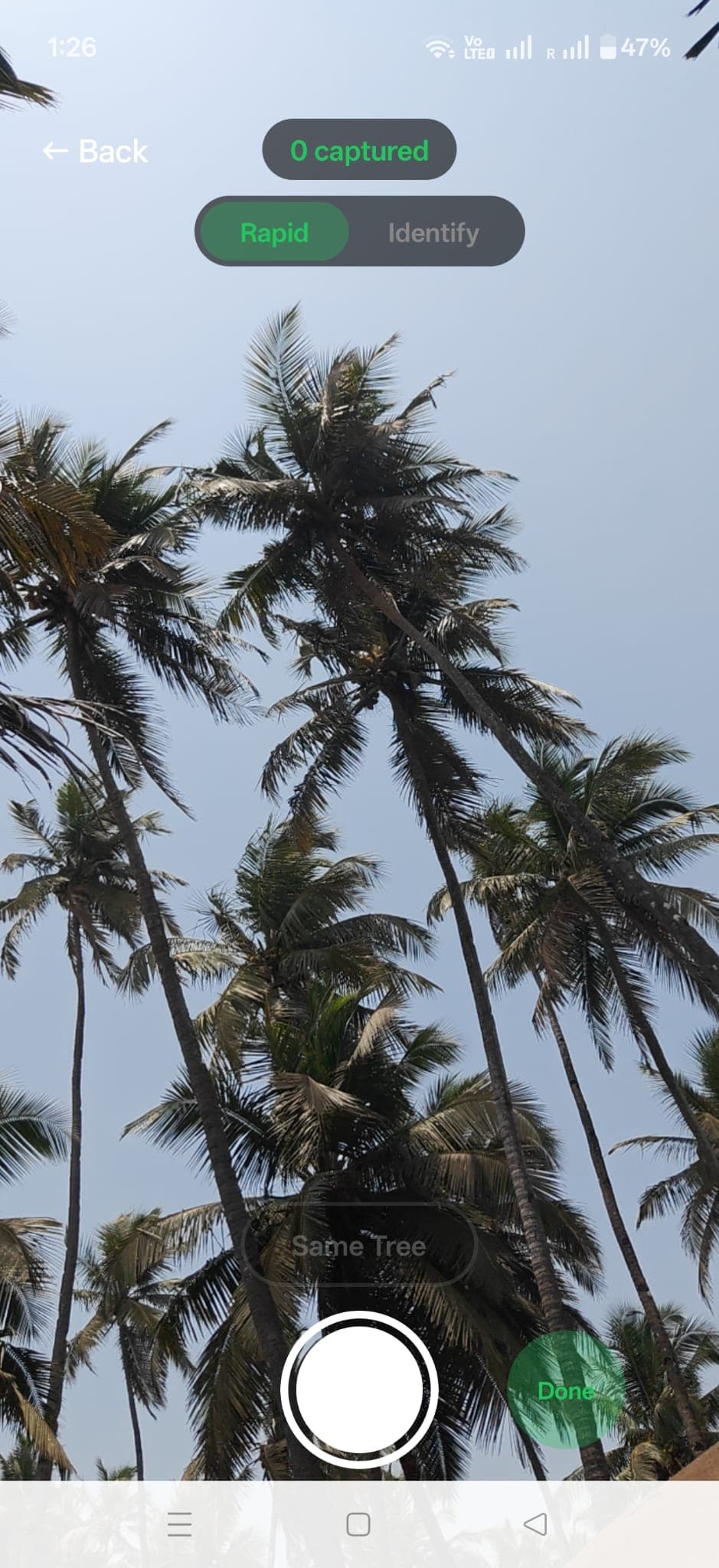
Tree inventory mobile app — rapid photo capture viewfinder pointed up at a palm canopy with live GPS pin overlay

Rapid Photo Capture

The shutter returns the instant you tap it. The upload and the analysis happen behind you, so your walking pace sets the speed, not the phone.

GPS Auto-Tagging

Every tree is automatically pinned with GPS coordinates. Build a property map as you walk the site.

Voice Notes

Hold to talk on any tree. Whisper transcribes, Claude sorts your words into health notes, recommendations, and client context.

Multi-Photo Per Tree

Capture trunk, canopy, root flare, and defects. Multiple angles give the AI more data and give your reports more detail.

Live Inference Preview

While you frame the shot, the app guesses species and DBH so you know whether to step closer. Confirms or corrects on capture.

AI Analysis

Computer vision that sees what the clipboard misses.
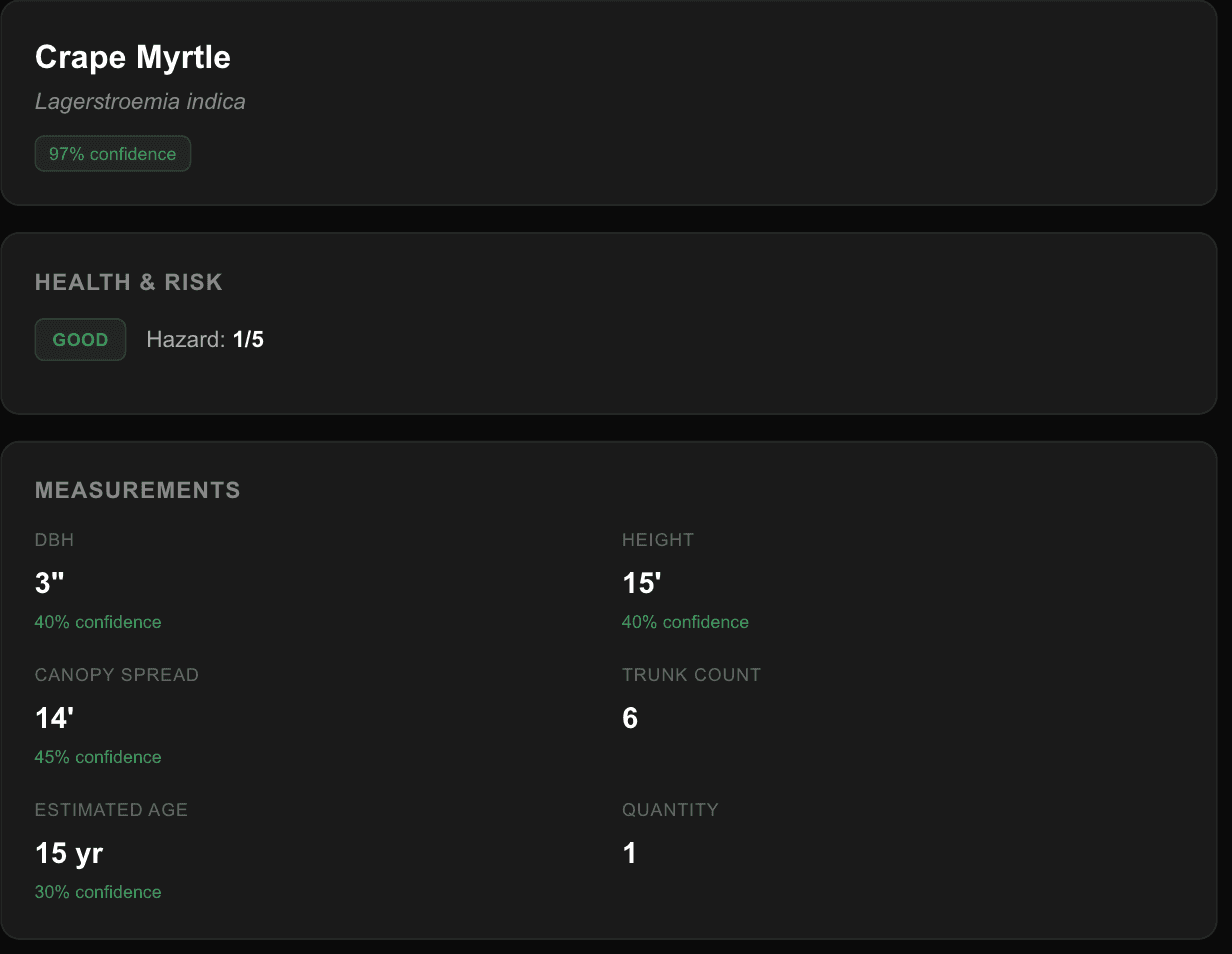
Species at 97 percent confidence, with a separate confidence under every measurement

Species Identification

Computer vision identifies species from bark, leaf, and form photos. Confidence scores let you verify. Thousands of species supported.

Measurement Estimation

AI estimates DBH (trunk diameter), height, and canopy spread from photos. Review and correct with one tap — the AI learns from your corrections.

Health Condition Grading

Automated health assessment: Good, Fair, Poor, Dead, or Hazardous. AI detects disease symptoms, pest damage, deadwood, and stress indicators.

Risk & Hazard Scoring

Hazard rated 1 to 5 from structural condition, visible defects and crown health, with a one sentence statement of the primary concern.

AI Service Recommendations

Per-tree action plan — prune, remove, monitor, fertilize, cable — priority-ranked with reasoning. Drops straight into the report.

Arboris, everywhere you already are

Not a chat box bolted on the side. The same assistant on the job you have open, across the whole account, and from the AI you already use.
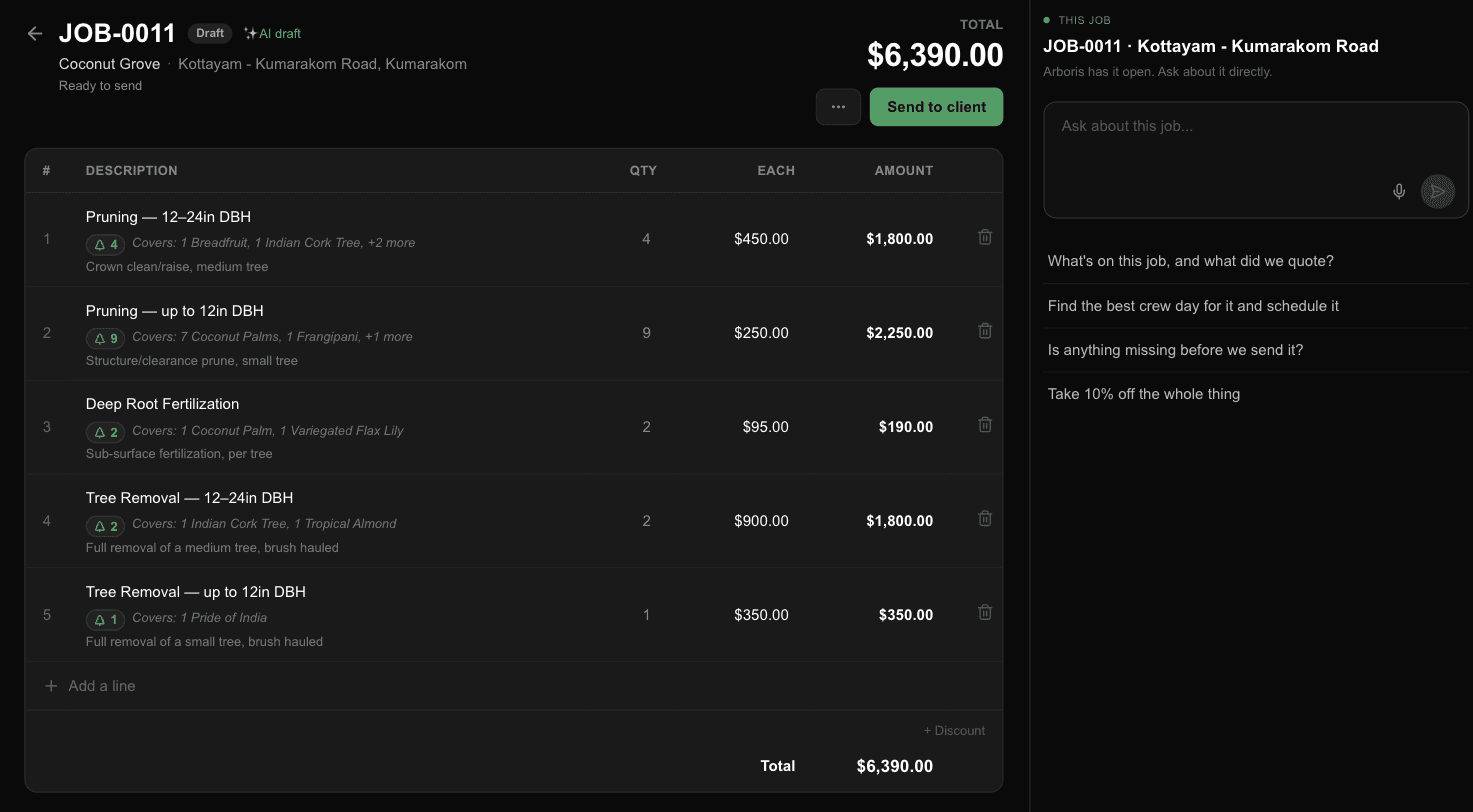
Arboris docked beside an estimate, offering to find a crew day for it

It knows which job is on screen. Ask what you quoted, find a crew day for it, or take ten percent off the whole thing.

It Knows What You Have Open

Open Arboris on a job and it already has that job. Ask what you quoted, what is missing before you send, or to find the crew day it fits.

Across the Whole Account

Customers, sites, trees, estimates, invoices, crews, the schedule and the day's routes. Not just the trees.

It Drafts, You Send

Estimates land as drafts and invoices sit unsent. Any tool that changes something asks you first, and one that skipped that could not be added to the product at all.

Talk Instead of Typing

Hold the button and say it. Useful in a truck, and the same on the phone as on the desktop.

Your Own Assistant, Connected

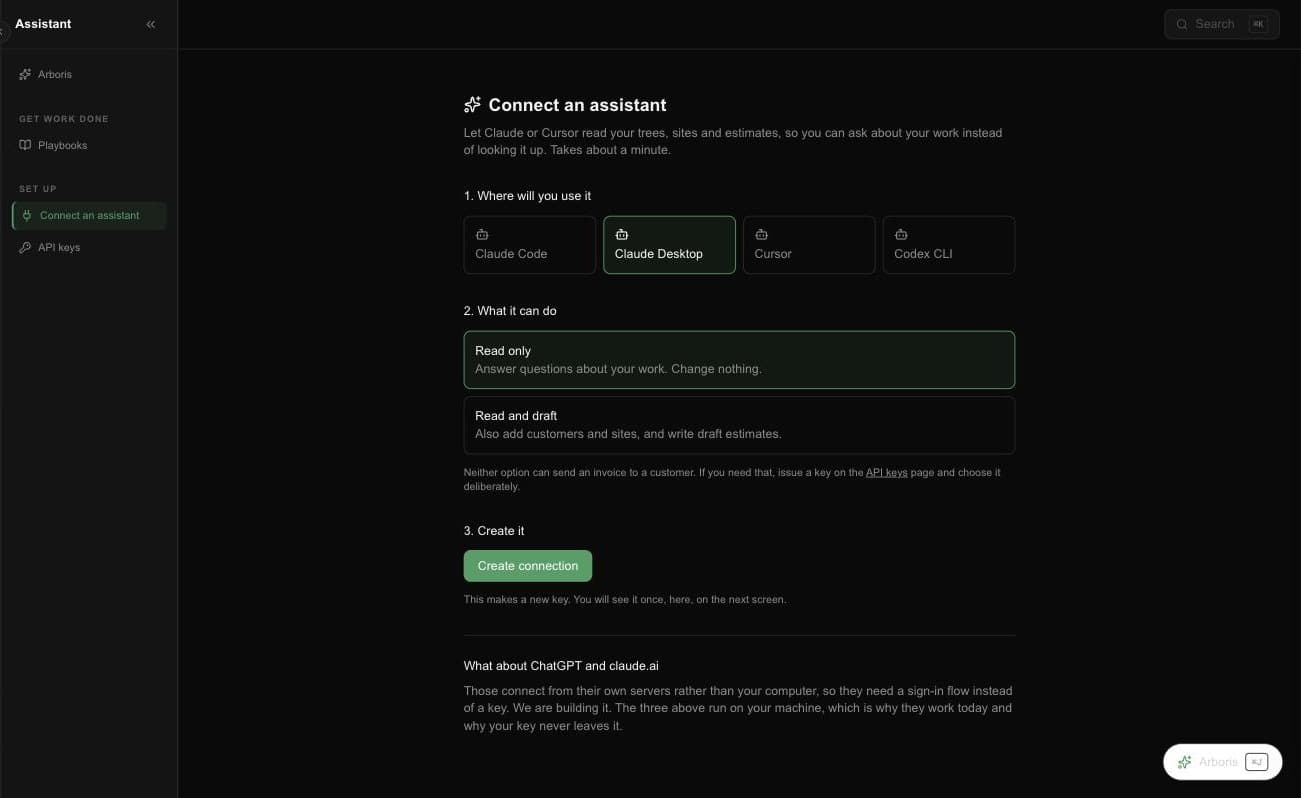
Claude, Cursor or Codex against your real account in about a minute. Read only is the default, and nothing deletes because no such tool exists.

Eight Jobs, Pre-Written

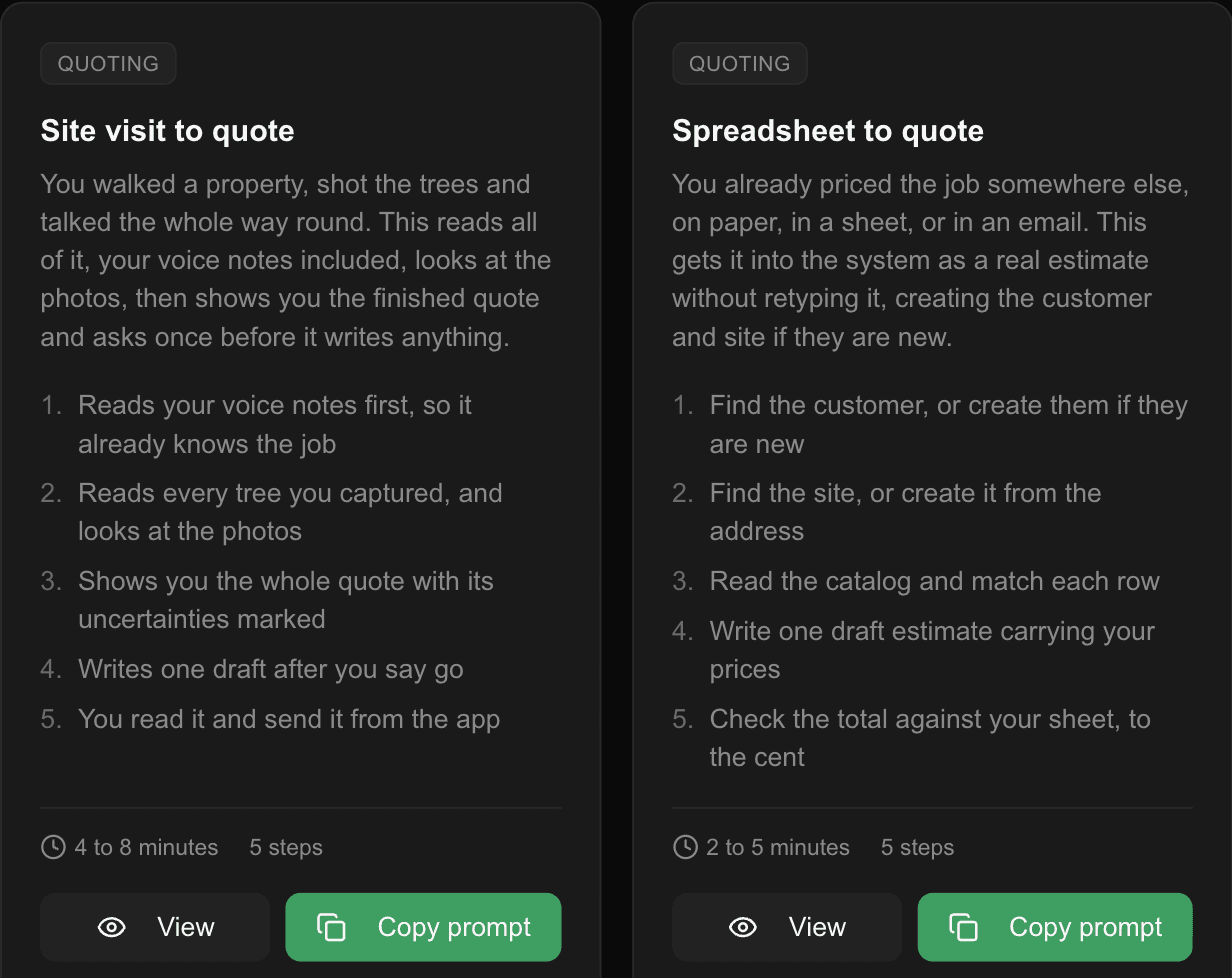
Site visit to quote, spreadsheet to quote, fill a crew's day, find what is slipping, bill the finished work. Copy the prompt and hand it over.

Jobs & Field Management

The quote, the crew, the calendar and the hours. One record from lead to done.
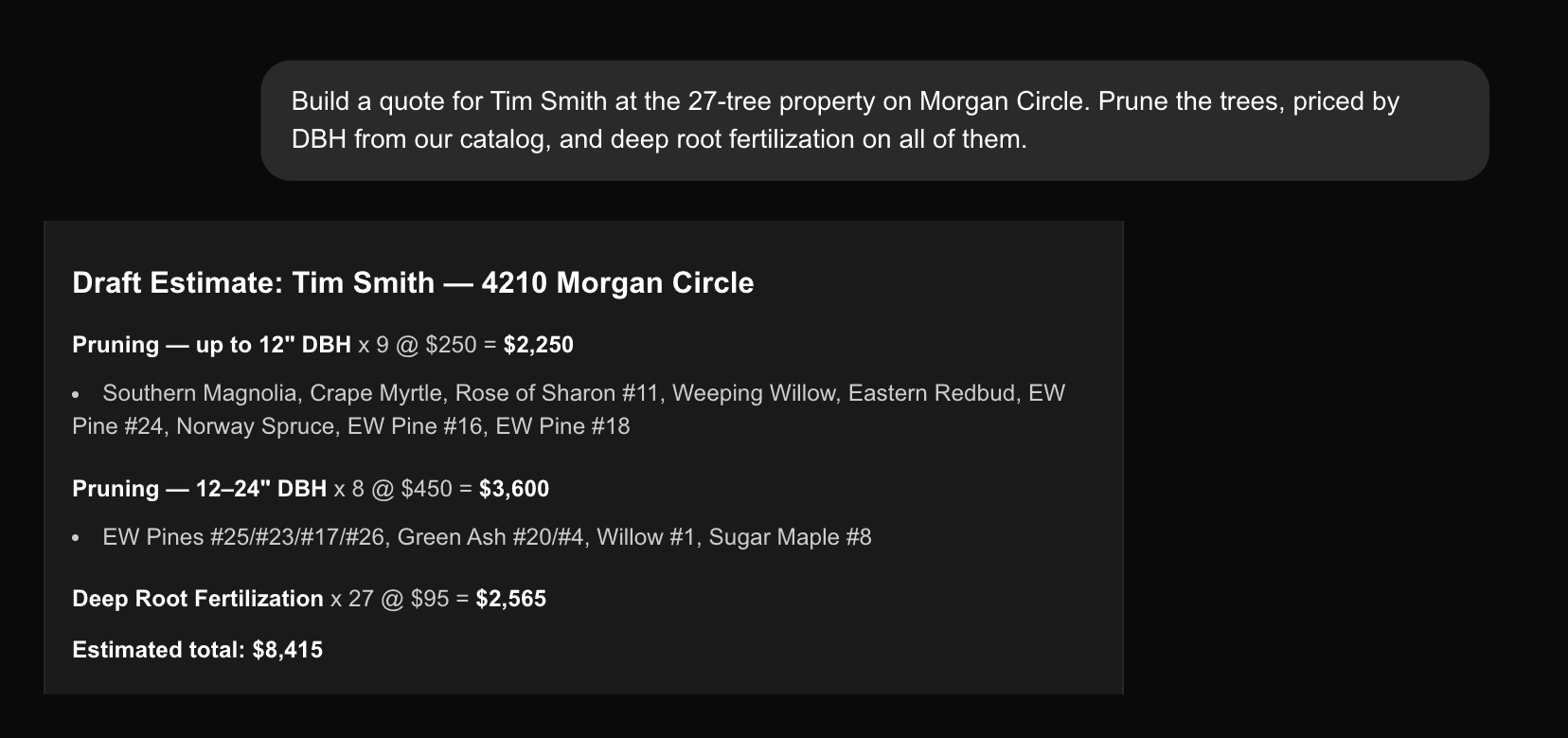
A request to quote 27 trees and the priced draft estimate that came back
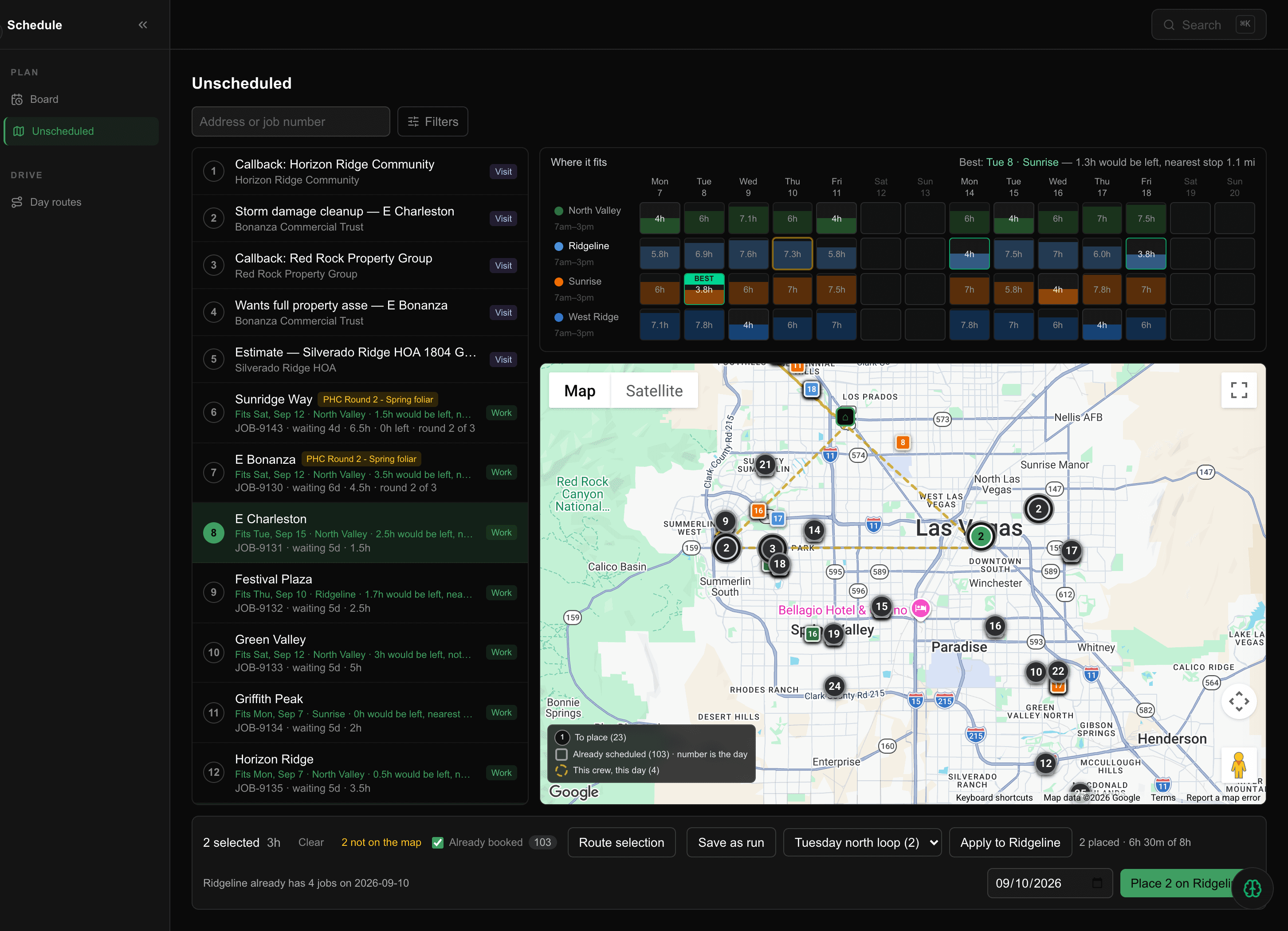
The unscheduled queue, a capacity grid across four crews and two weeks, and the drive drawn on a map

Estimates From Your Inventory

The work the AI recommended becomes priced lines, and every line records which trees it covers. Pull a tree off the line and the line updates.

Online Proposals

Your client opens a link, reads the quote with the 3D property map inside it, and accepts by typing their name. The signed version is stored exactly as it was.

Your Service Catalog

Your own services, prices and size bands. Bundles, quantity pricing, discounts and custom lines. Unpriced lines block sending, never drafting.

Day Rate and Multi-Site

Price a whole job as one flat day rate, or itemise per property. One proposal can cover several of a customer's sites.

Job Lifecycle

Lead, draft, sent, accepted, scheduled, in progress, completed. One record the whole way through, never a re-keyed copy.

Scheduling Board

Accepted work waits in a tray and every row proposes a crew and a day with the reason for it. Drop it on the calendar in the order you will drive it.

Crews and the Crew App

Crews, leads and rosters, and a separate field app: their day, their route, and the same trees the estimator photographed.

Day Routes

The stops ordered by drive time, automatically or by hand. Estimate visits get their own route too.

Time Tracking

Clock in and out against a job, adjust an entry, and see the hours a job actually took against what you quoted.

Renewals

Last spring's work comes due again. It scans what is owed, generates the estimates in a batch, and you send the ones you want.

Site Plans

Draw the job on the property across seven layers. Turf comes back net of the canopy over it, so the square footage you quote is the one you treat.

Districts

Draw a box on the map and it becomes a filter you can pull work from.

Scheduling

The work that has been sold, the crews who can do it, and the two weeks it has to land in. On one screen, with the reasoning shown.
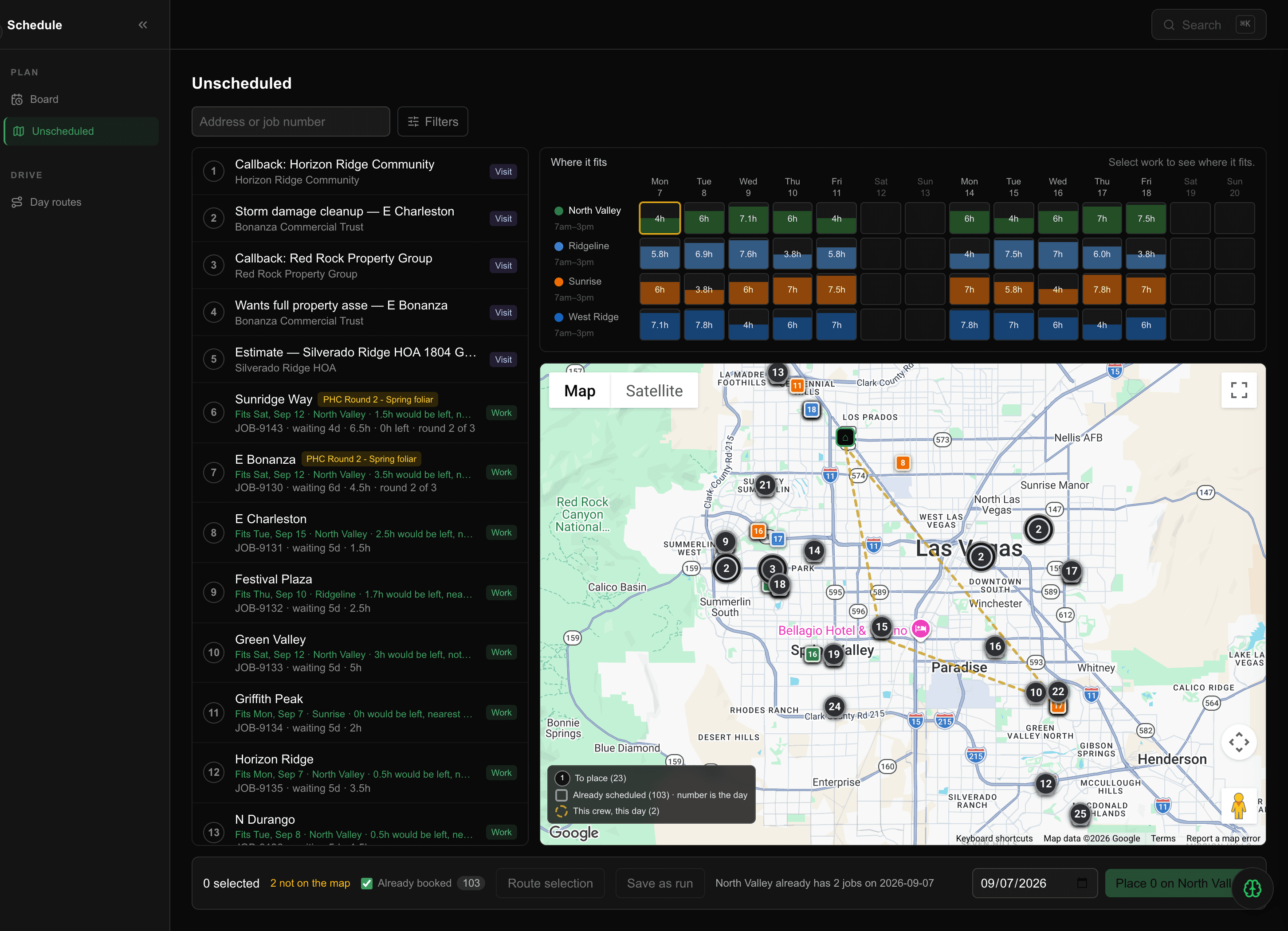
The unscheduled queue beside an empty capacity grid across four crews and two weeks, and a map of every job to place

Everything sold and not yet on a calendar, with every crew's next two weeks beside it. Callbacks and estimate visits sit in the same queue as the work.

Due rounds lead the queue

A plant health programme is not one job, it is round 2 of 3 with a window that closes. It used to sit in the same list as a removal sold in March and lose. Overdue work leads now, then whatever is due soonest, and the row counts the programme rather than the ticket.

Each row already carries the answer: which day it fits, which crew, how much of that day would be left, and how long it has been waiting.
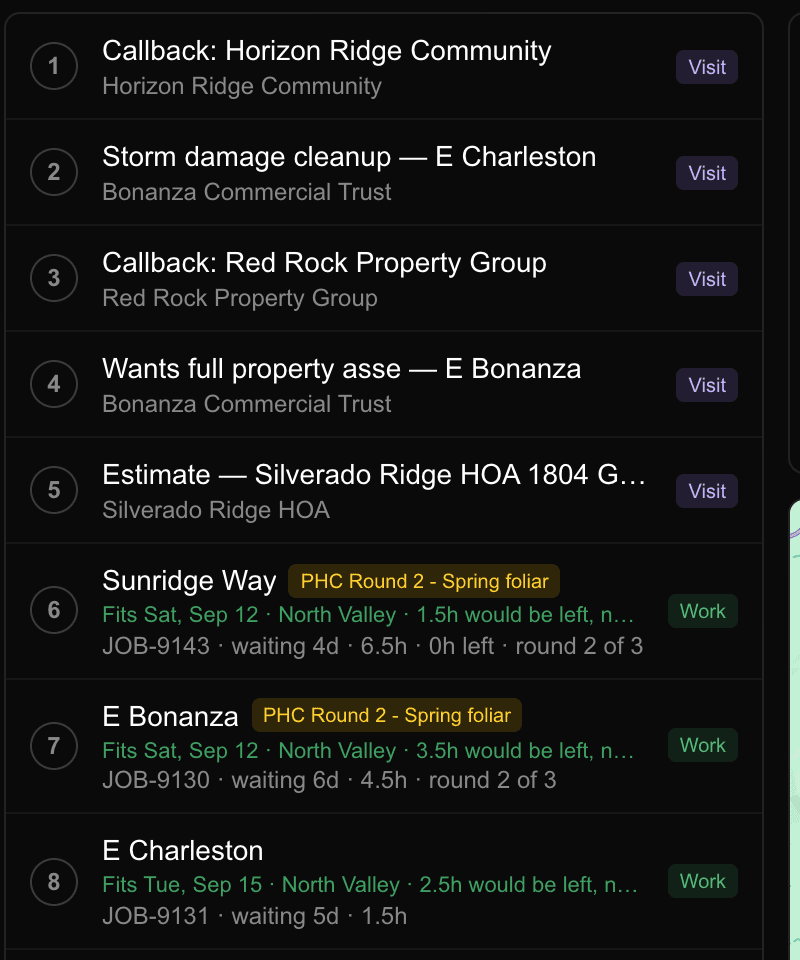

The unscheduled queue with two plant health round 2 jobs leading, each showing the day it fits, the crew and the hours left
The action bar: 2 selected, route selection, save as run, Tuesday north loop, apply to Ridgeline, 2 placed and 6h 30m of 8h
After the click it says what it placed and how full the day now is, including that the crew already has four jobs booked.

Where It Fits

Select the work and the grid answers across every crew for the next two weeks: hours already booked, hours that would be left, and how far the nearest stop is. The best day is badged.

Overdue Rounds Lead

Round 2 of a three-round plant health programme used to sit in the same undifferentiated list as a removal sold in March. Overdue first now, then due by whichever window closes soonest.

Runs

A saved, ordered list of properties that outlives the work on it. Route a selection, save it as a run, and put it on a crew next Tuesday in one click.

The Drive, Drawn

Every job to place is a pin, everything already booked carries its day number, and the loop you are building is drawn between them.

It Tells You What It Did

Two placed, six hours thirty of eight, and a note that this crew already has four jobs that day. No silent writes and no guessing what the click changed.

Day Routes

The crew opens the day in the order it will be driven, with the stop number, the address and the hours on each card.

Client Documents

The proposal and the invoice your customer actually opens. One design system, sent as a link, no login and nothing to install.
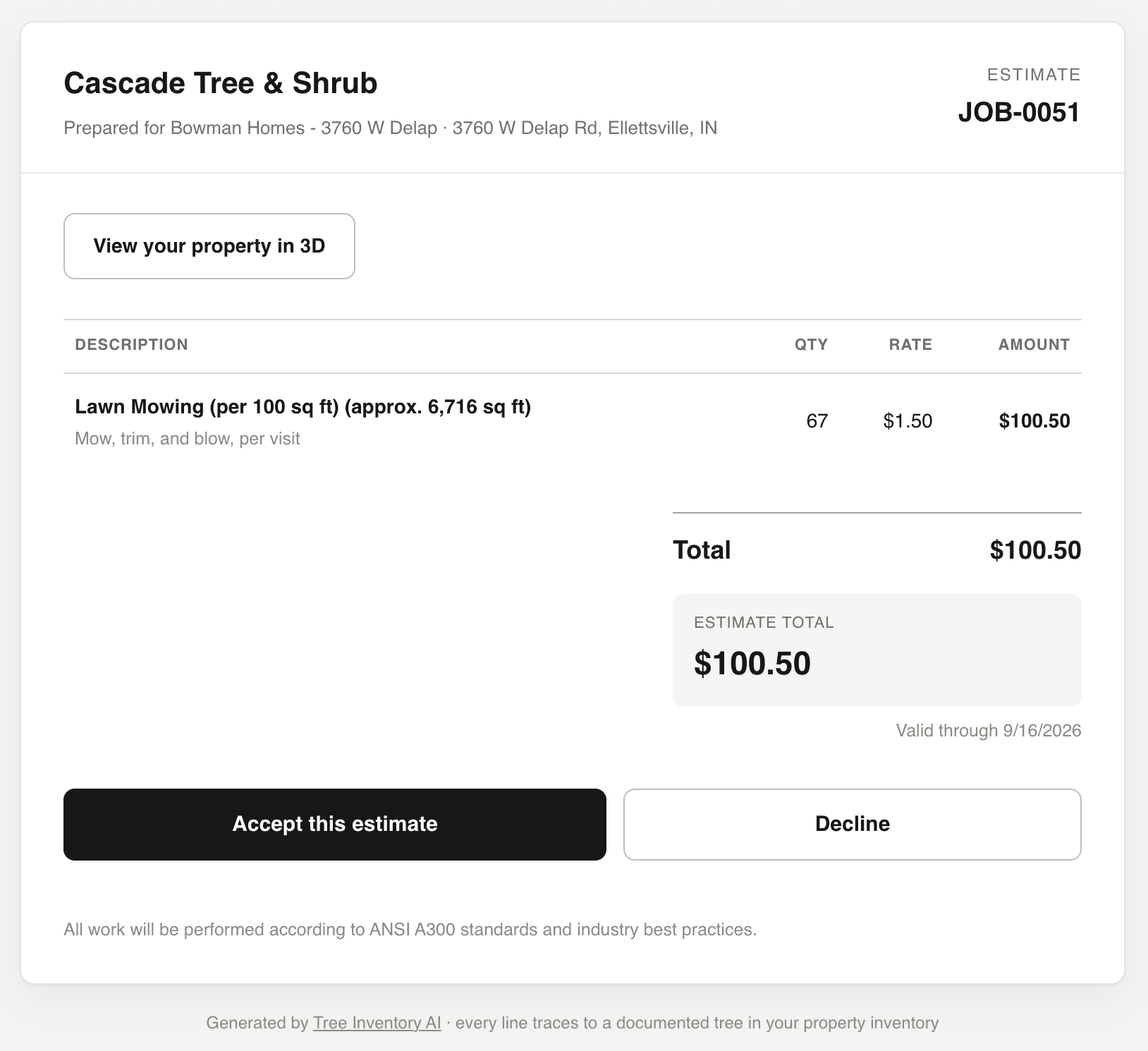
A digital estimate with a 3D property link, a priced line and Accept or Decline buttons
The proposal. Accept or decline, in the browser.
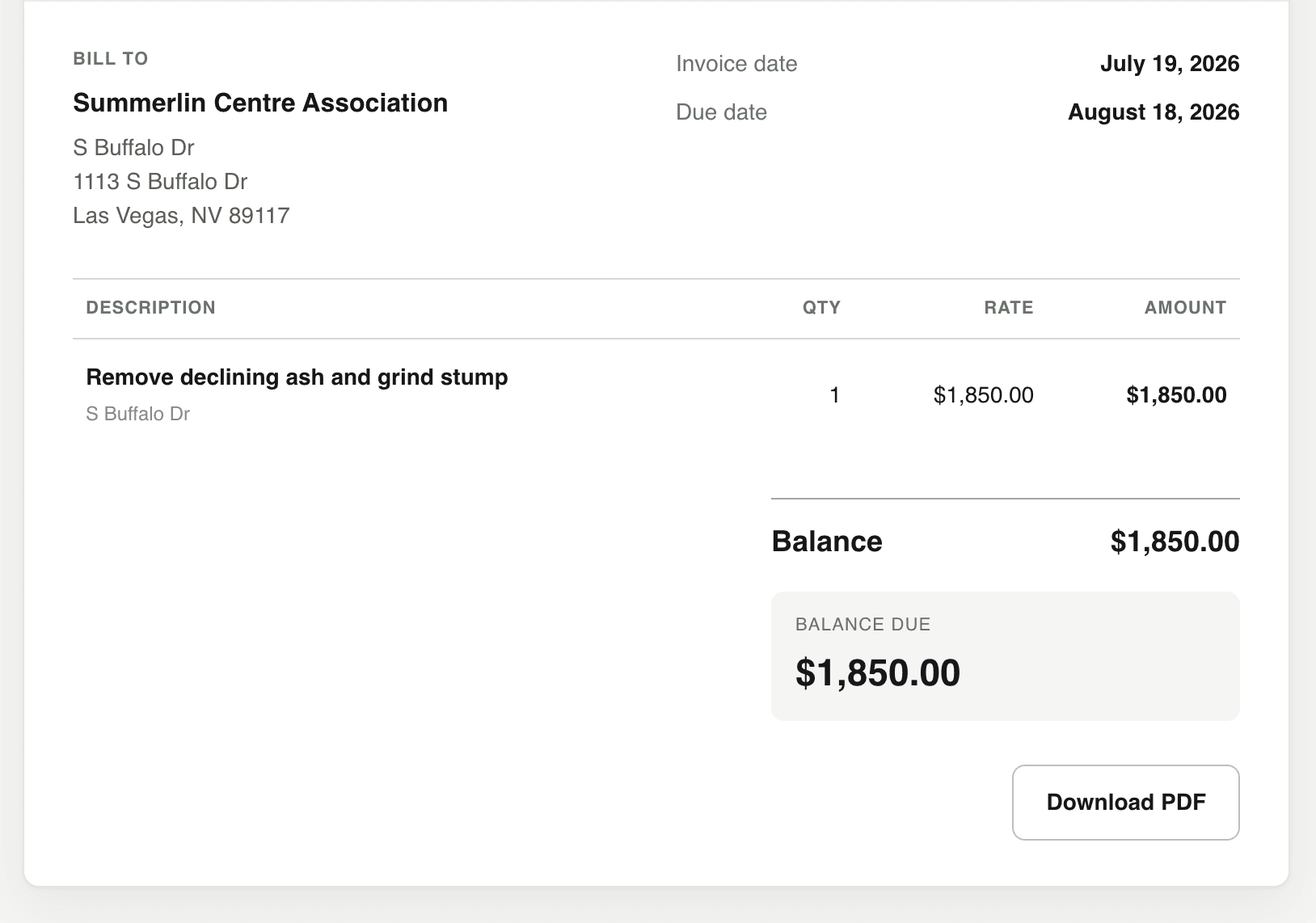
A digital invoice showing bill-to, dates, the line item, the balance due and a Download PDF button
The invoice. Balance due up front, PDF on request.
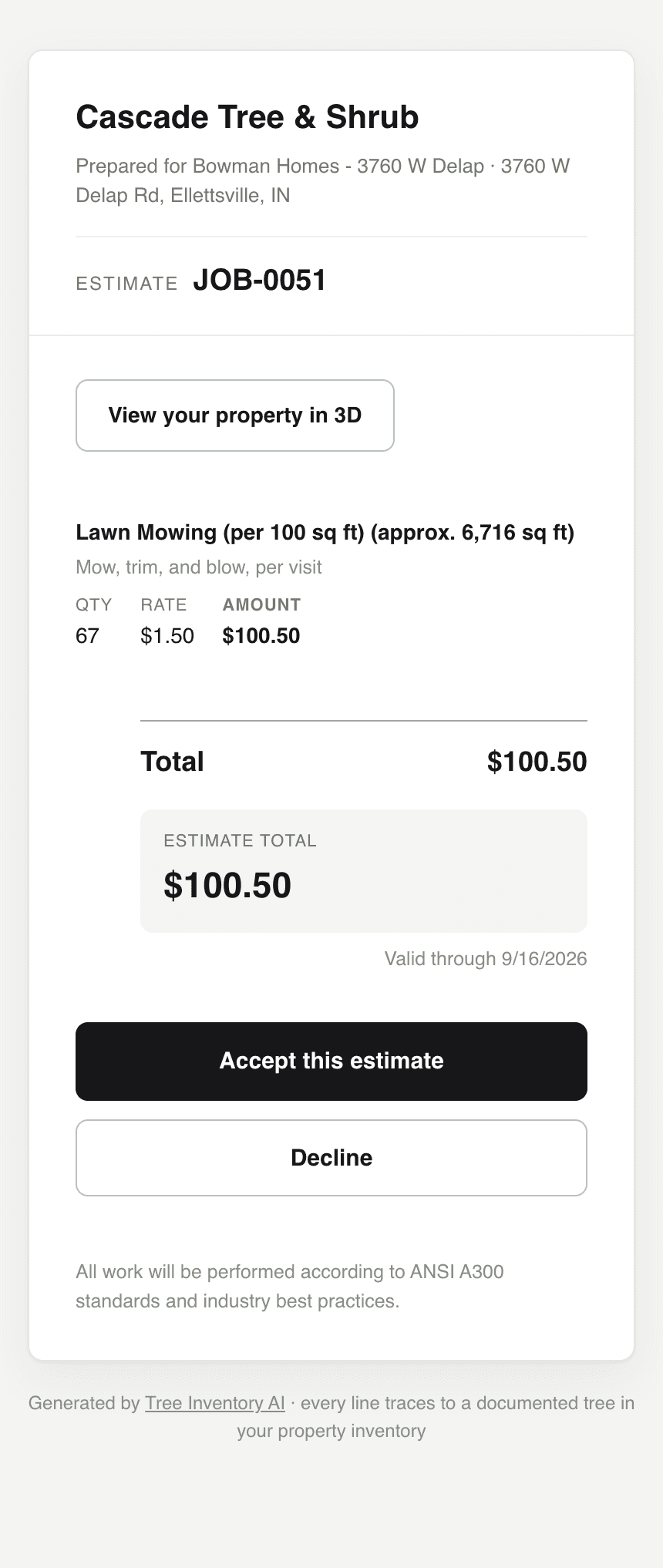
The same estimate on a phone, with the quantity, rate and amount stacked under the description
The same document on the device most homeowners read it on.

Digital Proposal

Every estimate gets its own web page, sent as a link. Your company name is the letterhead, the totals are set out the way a printed estimate always has been, and there is no attachment for anyone to lose.

Signed Acceptance

Your customer types their full name and ticks the consent box. The acceptance is recorded against the job with the time it happened and the name they typed.

Decline With a Reason

Declining takes one tap and an optional reason. You find out you lost it, and why, instead of waiting on a call that never comes.

Electronic Invoice

The invoice is the same document in the same system. Bill to, invoice date, due date, the lines, and the balance due stated in its own panel at the top of the money column.

PDF On Request

One button downloads the invoice as a PDF for a customer who needs to file it or hand it to a bookkeeper.

Built To Read On A Phone

Most homeowners open these on a phone. Below 620px the money table stacks instead of scrolling sideways, so the quantity, the rate and the amount stay on screen.

The 3D Property, Inside The Quote

The proposal links straight to the trees you captured, highlighting the ones this quote covers. They can look at their own property before they say yes.

Every Line Traces To A Tree

The footer says it and the data backs it. Each priced line records which documented trees it covers, so the number is defensible months later.

Accounting

Finished work becomes an invoice, and the invoice reaches QuickBooks.
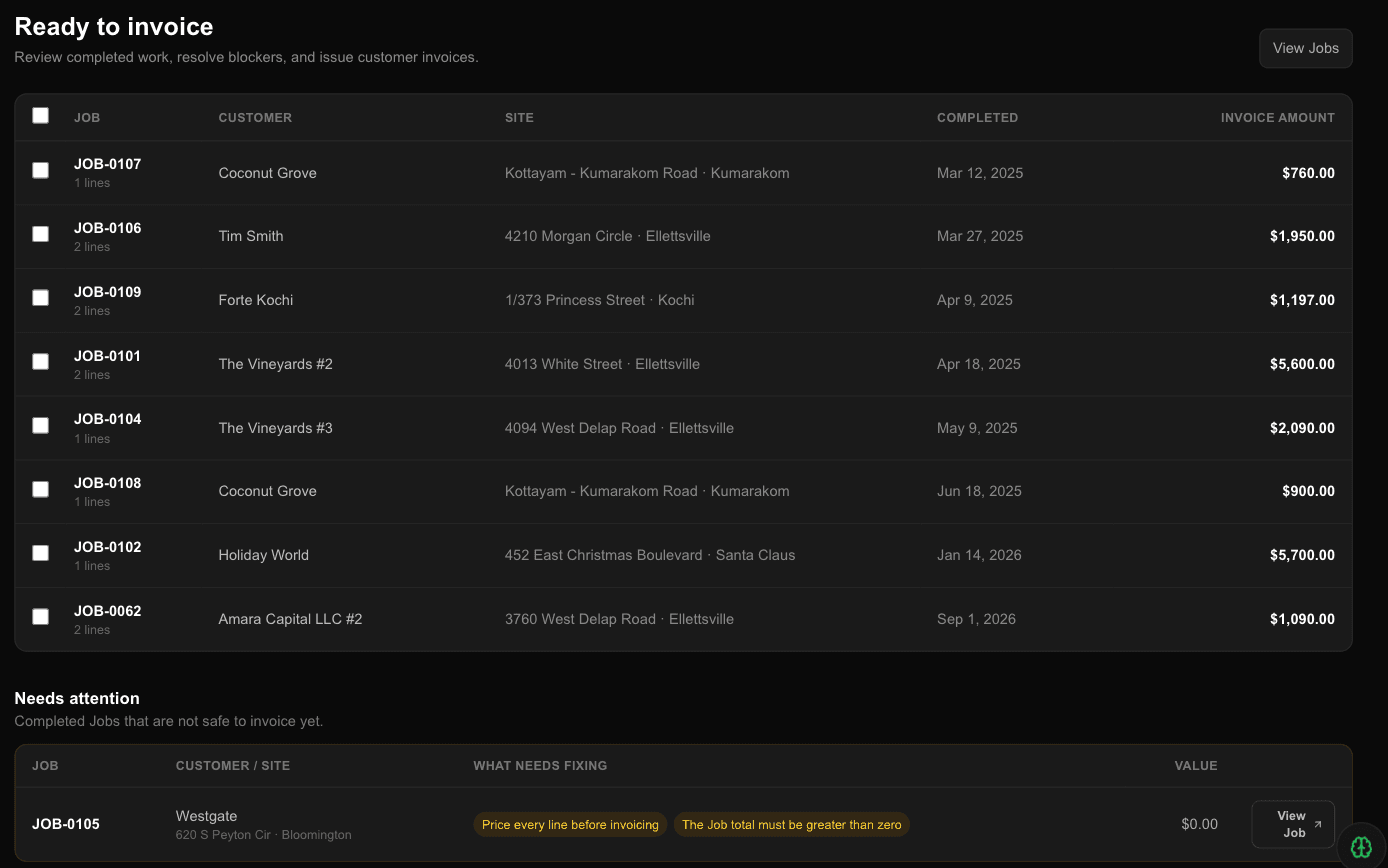
Completed jobs queued ready to invoice, with one held back and the reasons named
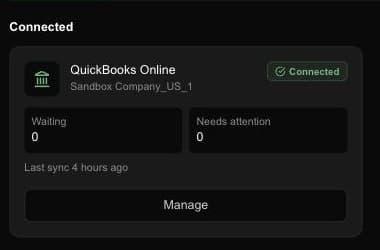
QuickBooks Online connected, with nothing waiting and nothing needing attention

Ready to Invoice

Completed work queues itself. Bill one job or a batch, and send a link the client can open.

QuickBooks Online

Connect once. Customers and services come across with a proposed match and the reason for it, and invoices export on their own.

Blockers That Say Why

When an export cannot go, you get the actual reason and the button that fixes it, not a failed sync you find at month end.

Drift Detection

If something changes on the QuickBooks side, you are told rather than left with two versions of the truth.

Customer Records

Everything about a client on one page: their sites, their work, their history, and what they owe. Duplicates can be merged.

Payments Recorded

Record what comes in against the invoice, and see the balance per customer.

Agentic AI & Platform

Run it from the AI you already use, or from your own software.

Two agent playbooks: site visit to quote, and spreadsheet to quote

Connect Your Own Assistant

Claude, Cursor or Codex, connected to your account in about a minute. Nothing to install. Read only is the default.

Agent Playbooks

Eight jobs already written: site visit to quote, spreadsheet to quote, fill a crew's day, find what is slipping, bill the finished work. Copy one and paste it in.

Nothing Writes Without Asking

Any tool that changes something has to ask first. That is enforced where tools are registered, so one that skips the confirmation cannot be added at all.

Public API

Documented endpoints with a served OpenAPI spec, so your own tools can read and write the same things the app does.

Property Map & GIS

Every tree on every property — mapped, color-coded, and shareable.
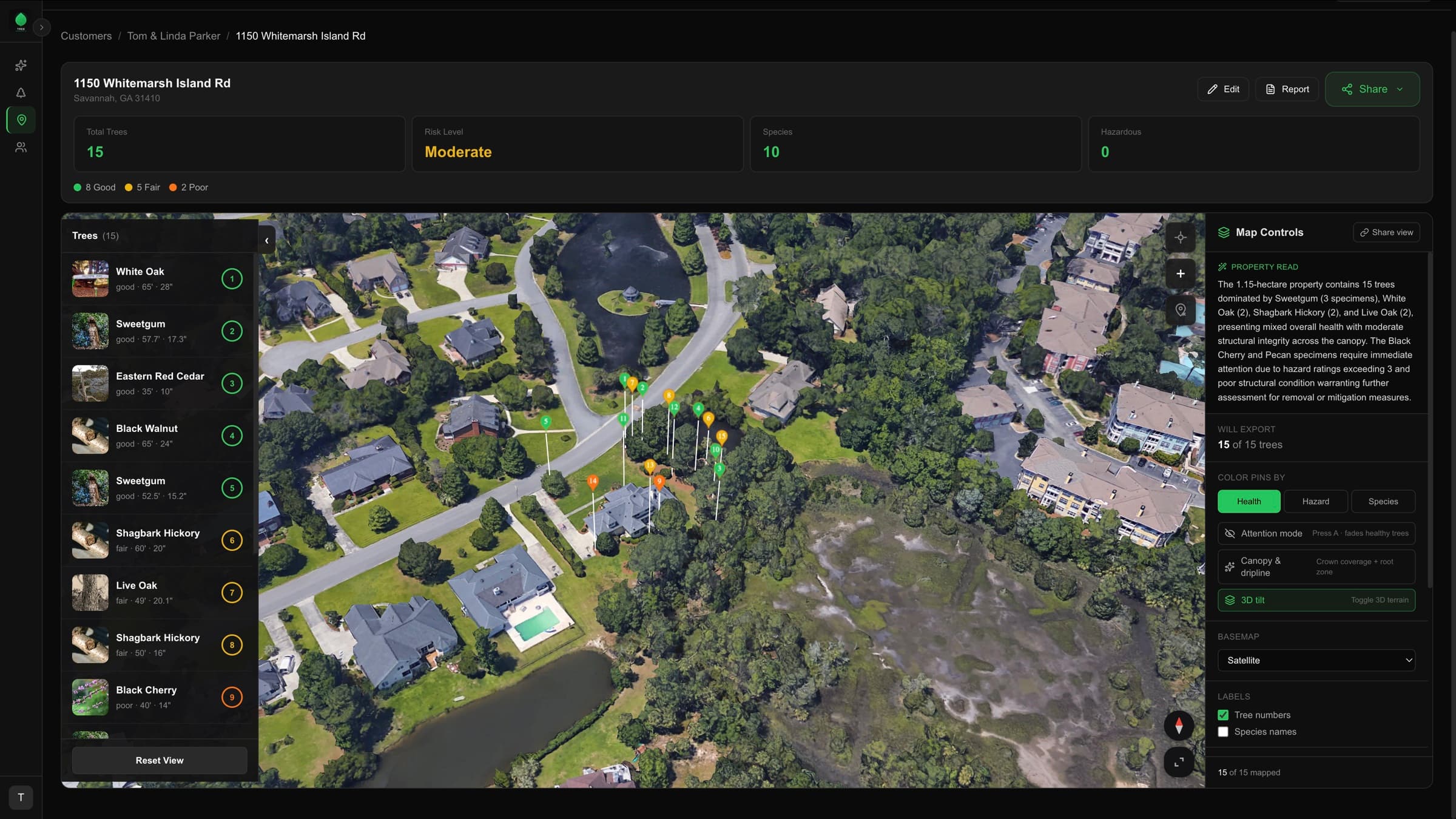
Tree inventory GIS dashboard — 1150 Whitemarsh Island Road property with 15 health-color-coded GPS pins on a satellite map, species sidebar, and AI-generated property brief

Property Map View

Every tree on every property pinned on a satellite map and color-coded by health, hazard, or species. Toggle modes with one tap. Share with clients via a public link.

3D Property Walkthrough

Tilt into an interactive 3D model of the property. Click any pin for species, condition, and recommendations. Shareable so clients can explore remotely.

Bulk Pin Adjust

Drag pins to refine GPS positions on a 2D satellite view. Each drop auto-saves — no manual save button. Fast cleanup when GPS drift puts a tree on the wrong side of the driveway.

AI Property Brief

Auto-generated summary of every property: tree count, species mix, dominant condition, and standout risks. Reads like a paragraph from a senior arborist.

Public Share Link

Toggle a property public and send the URL. Your client opens the map on any phone — no login, no app install, no PDF attachment.

Output & Reporting

Professional deliverables generated from your captured data.
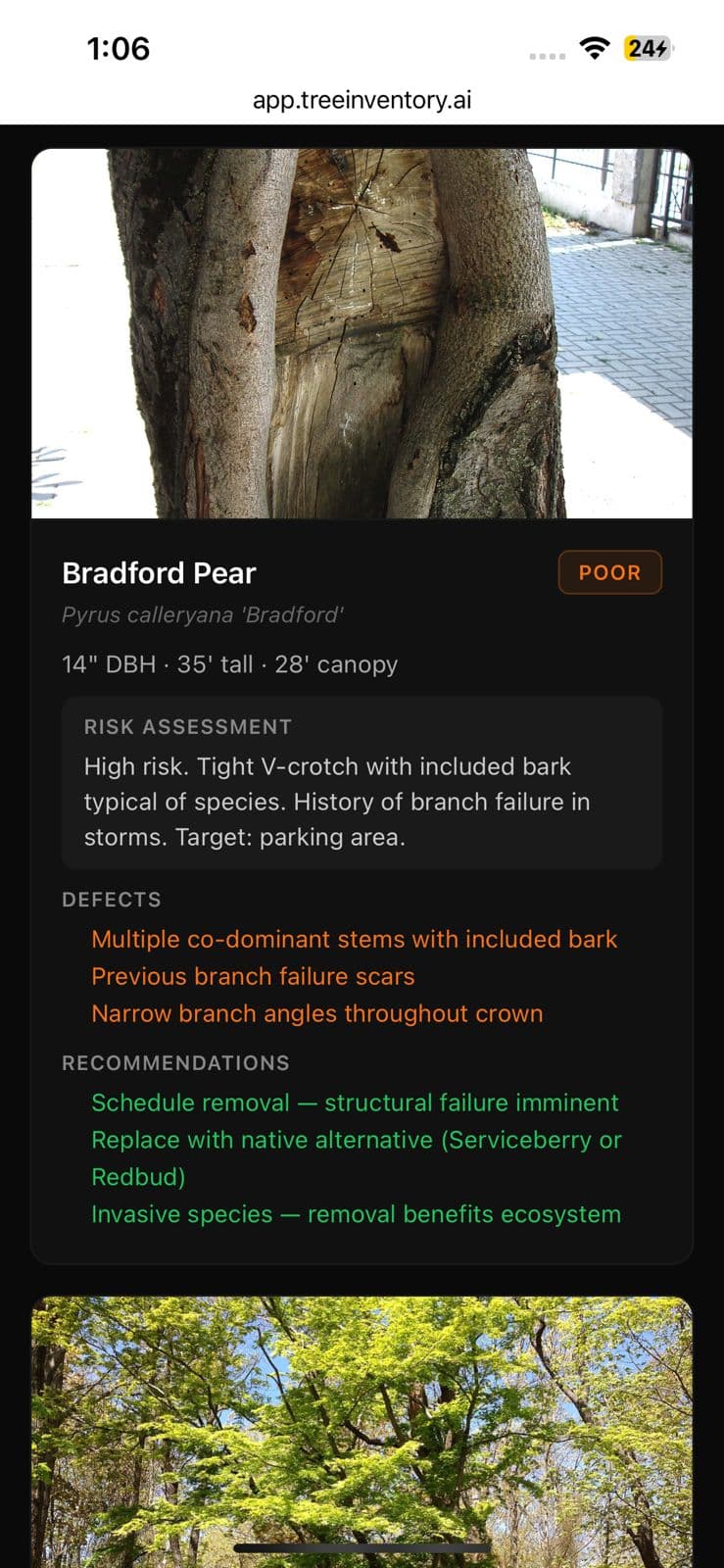
Arborist property inventory PDF report — annotated tree page with measurements, defects, and prioritized recommendations

Professional PDF Reports

One-tap property inventory reports with species summary, risk matrix, GPS map, annotated photos, and recommended actions.

AI Narrative Writeup

A written property assessment in plain English, generated from your inventory. Drop it into a proposal, an email, or an expert-witness package.

Photo Markup & Annotation

Draw arrows, circles, and text on photos to document defects. Annotations carry into reports automatically.

CSV Export

Export the full inventory as CSV for GIS software, spreadsheets, or anywhere else you need it.

GeoJSON Export

Download the full property as GeoJSON for ArcGIS, QGIS, or any GIS pipeline you already run.

Job Site Photos & Recordings

Attach standard job site photos and audio recordings to any property. Context beyond individual trees — document the full site.

Ready to see it in action?

On us while we build this with you. No card required.