August 2026 · Feature
Knowledge: what got said on the walk, kept
Everything useful on a walkthrough gets said out loud and then lost. The gate too narrow for the chipper. The shrub the owner said not to touch. The crack you wanted to look at again before the rain. Six months later somebody sends a crew who knows none of it. Knowledge keeps it, on the property, where the next person will look.
Start here
Putting a visit in
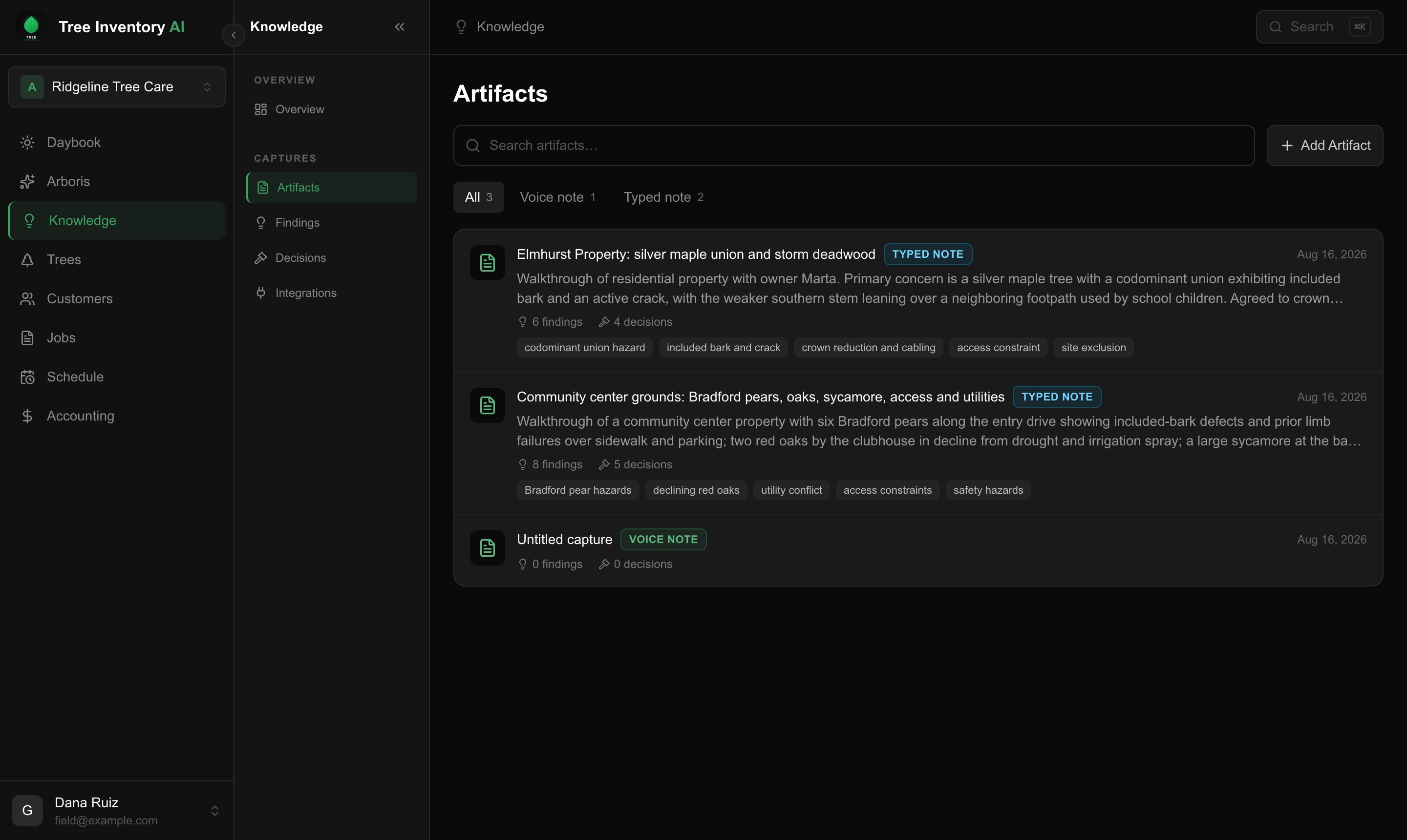
- Open Knowledge in the top navigation, then the Artifacts tab.
- Click Add Artifact.
- Paste the transcript from whatever you record on, or type the note yourself, and choose the property it belongs to.
It reads the whole thing back and files what it found. A full walkthrough takes a few seconds, and you get a count of what came out before you go anywhere.
The Artifacts list keeps every capture, filtered by how it arrived: Voice note for hold-to-talk recordings, Typed note for anything you pasted or typed. Each row shows its summary and how many findings and decisions it produced.
What comes out
Findings, not a wall of text
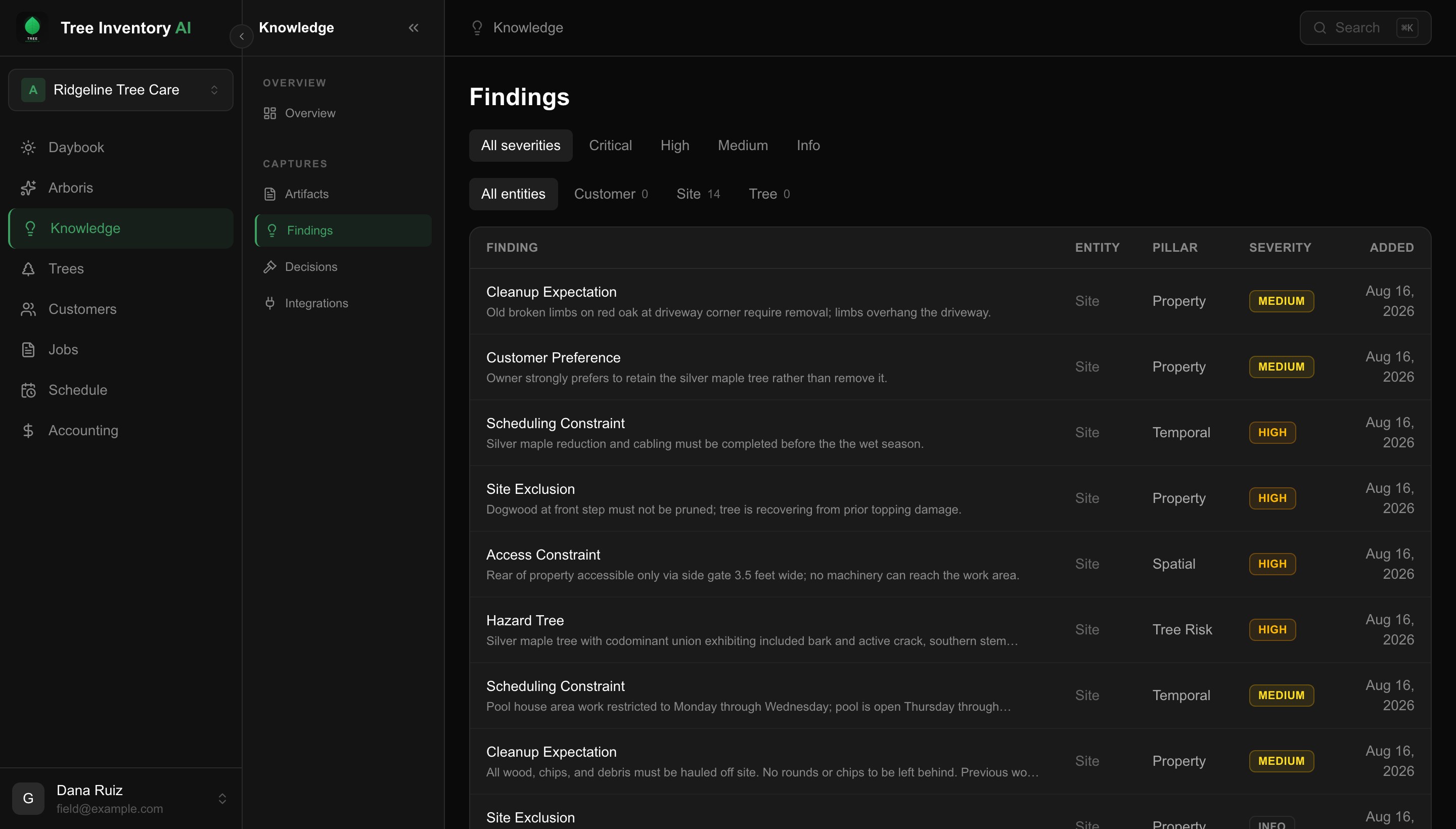
A transcript on its own is no better than a voicemail. What you get back is separate findings, each one typed so it can be sorted and acted on:
- Hazards. A codominant union with included bark and an active crack, on a stem leaning over a footpath.
- Access constraints. A side gate three and a half feet wide, so no machinery reaches the back and everything is carried out by hand.
- Do not touch. The tree by the front step that has already been topped once and needs to be left alone.
- Timing. Work that has to happen before a season, or days a crew cannot be on site.
- What the customer wants. Including when it differs from what you recommended.
- Cleanup expectations. The kind that cause a callback when nobody wrote them down.
These live on the property, not in a file nobody opens. The Findings tab is every finding across your sites, newest first, and a property carries its own.
The part that settles arguments
Decisions, with who agreed
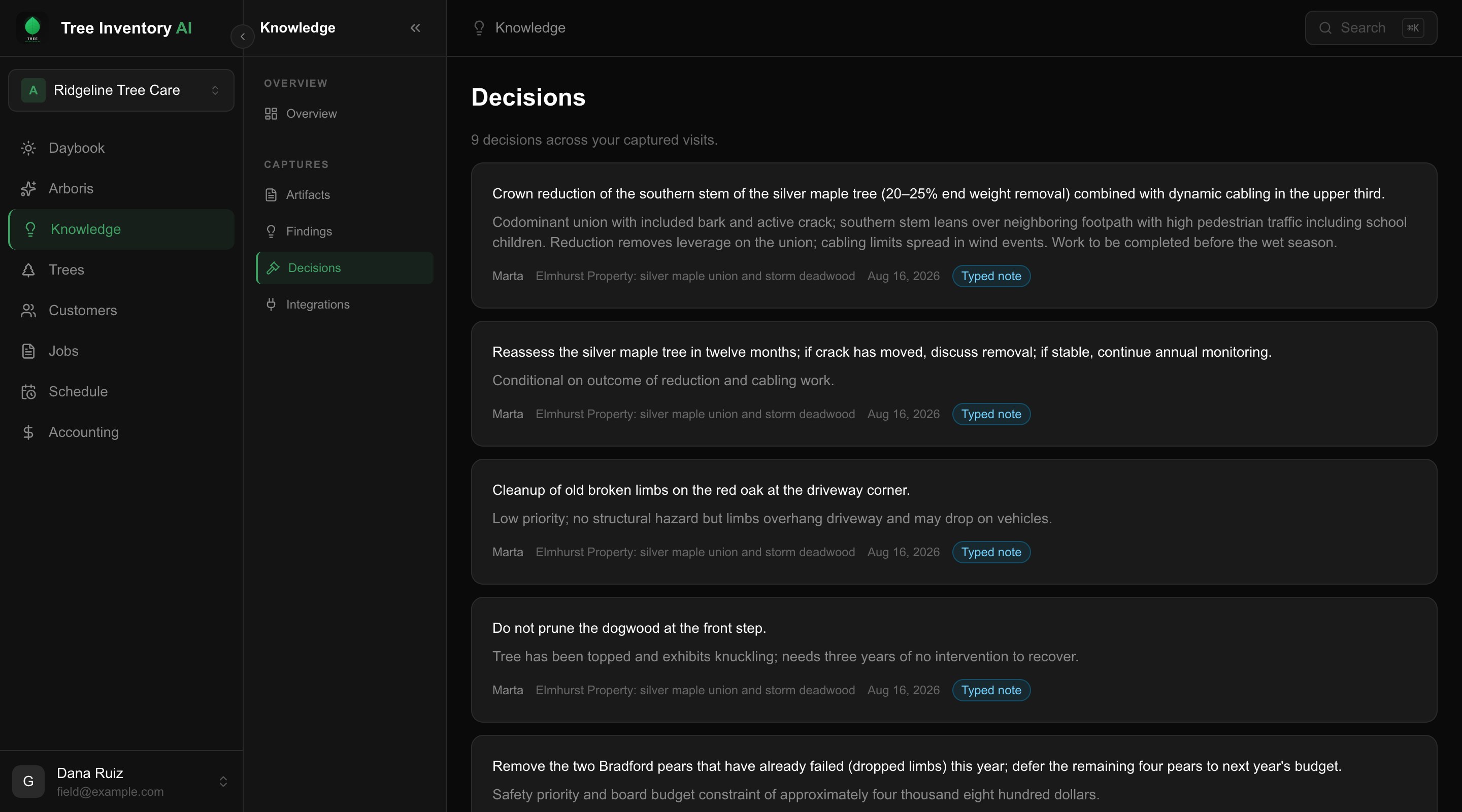
What was agreed comes out separately from what was observed. Reduce the stem and cable it rather than remove it. Defer four of the six pears to next year on budget. Reassess in twelve months and talk about removal then if the crack has moved.
Each one keeps the reasoning next to it and the name of whoever agreed, on the Decisions tab. When somebody asks in March why the tree is still there, the answer is a record rather than a memory.
When you are moving
You do not have to know the property yet
Save it anyway. A capture with no property attached waits in the capture inbox on the Artifacts tab until you say which site it belongs to, and only then does it file anything.
Nothing is attached to the wrong customer to avoid losing it, and nothing is thrown away for being unsorted. Two people cannot assign the same capture to different properties either. The second one is told it has already been filed.
Where it shows up next
Your estimate drafts read it
When a draft is built for a property that has findings, it uses them as scope and tells you how many it read. The access constraint you mentioned once on a Sunday walk is in front of you when you price the job.
Worth knowing
What it will not do
A price never becomes a finding
Findings describe the work and the property, never what it costs. A number said out loud on the walk is dropped rather than filed, including when it is spelled out in words, so a stale budget can never sit beside real figures on an estimate and read as an anchor.
A decision is the exception, and deliberately so. If what the customer agreed to was a budget, the decision records that, because the budget is the decision. It stays on the Decisions tab and is never used as scope for a draft.
- Short notes usually yield nothing. Under roughly a hundred words it is filed and titled but often produces no findings, because two lines of scheduling chat contain none. The word count tells you which way it will go before you save.
- Automatic sync from a recorder is not connected yet. Pasting is the path today, and it works with anything that gives you text.
- Pasting on the phone ships with the next app update. Adding a transcript from the web works now.
- It reads what was said, not what was meant. If something was never said out loud on the walk, it will not appear.