August 2026 · Feature
Put the lawn you drew straight onto the estimate
Lawn work is priced by the square foot, and until now that meant measuring the lawn yourself. Draw it once on the site plan and the estimate can use it, with tree canopy and buildings already taken out.
Step one
Outline the lawn
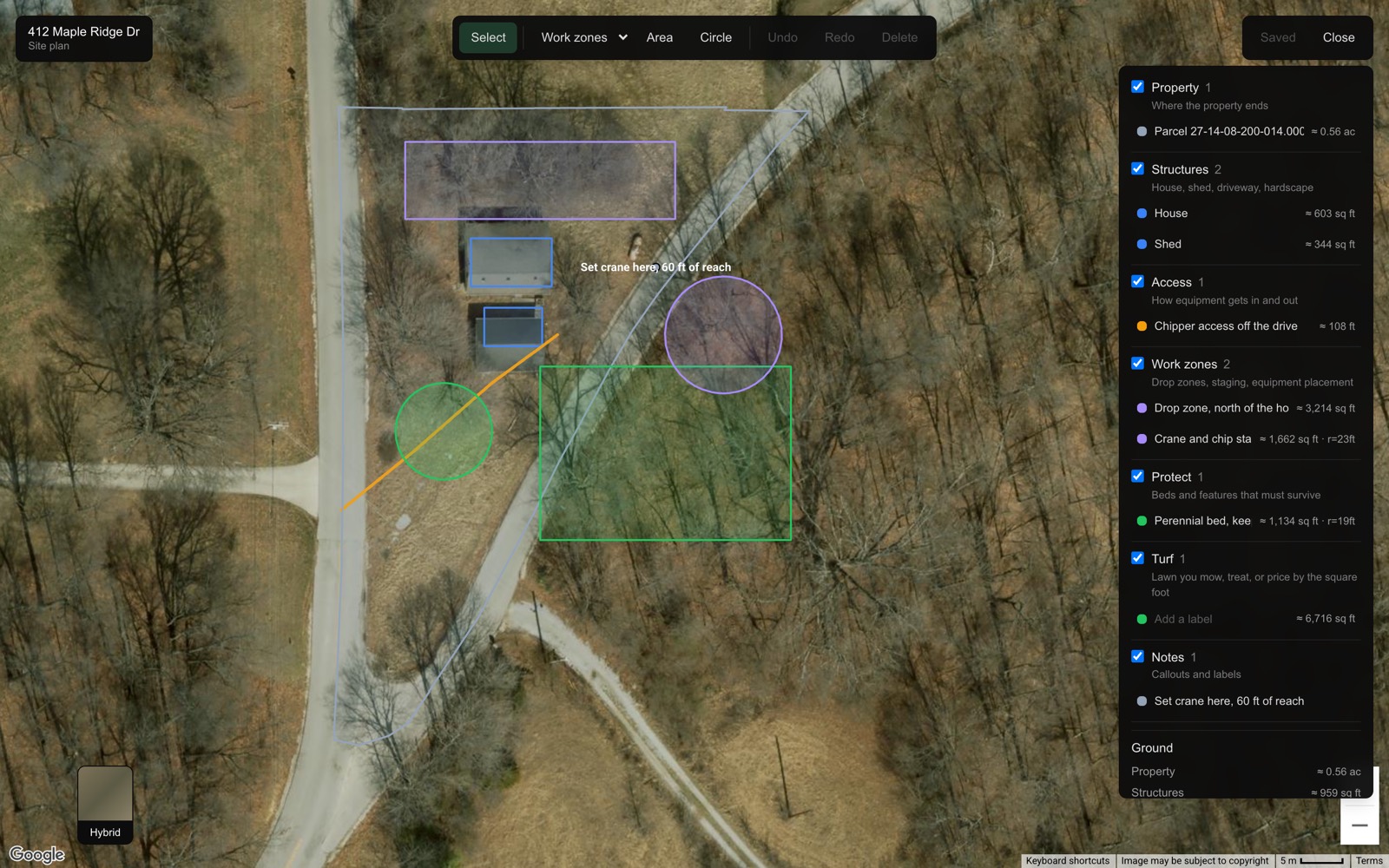
- Open a site and choose Site plan.
- Pick the Turf layer, then Area, and click the corners of the lawn.
- Save.
Loop it roughly. You can go straight over the trees and over the house, because the plan takes those back out for you. Nobody has to trace around a maple.
Step two
Read the ground totals
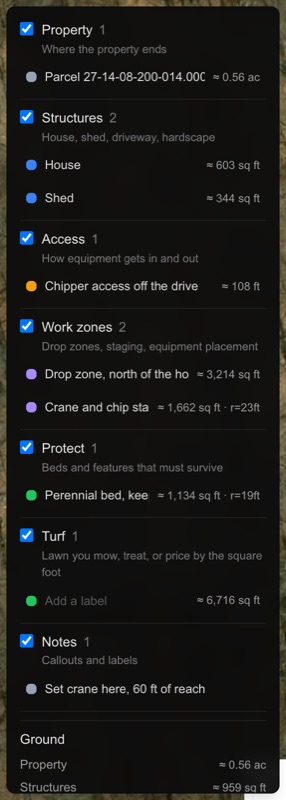
At the bottom of the layer list, the plan keeps a running count: how much of the property is structures, how much is under tree canopy, and what is left. Draw turf and you get a second figure under it, the same area with the buildings and canopy inside it taken back out. That net figure is the one an estimate uses.
It tells you what it could not account for
Canopy is only subtracted for trees where someone recorded a canopy spread in the field. The panel says how many of the site's trees had one, so you always know how finished the number is. The leftover is called open ground rather than turf on purpose: on a wooded lot most of it is brush and understory, and pricing that as lawn would cost you on every visit.
Step three
Add it to the estimate
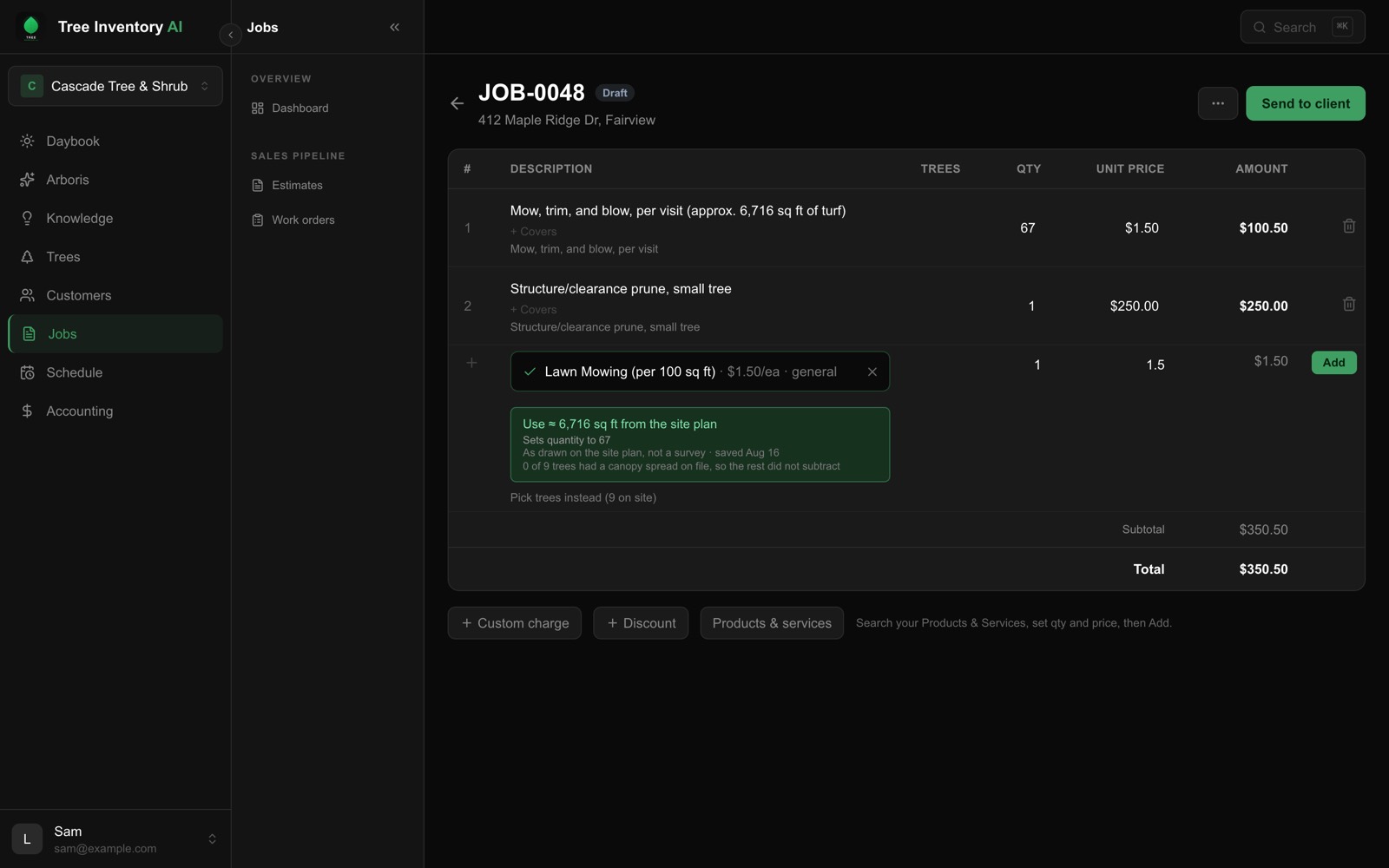
Start an estimate at that site and add Lawn Mowing (per 100 sq ft). A suggestion appears under the service picker offering the area you drew, with the date the plan was saved and a reminder that a drawing is not a survey. All of that is on screen before you click it.
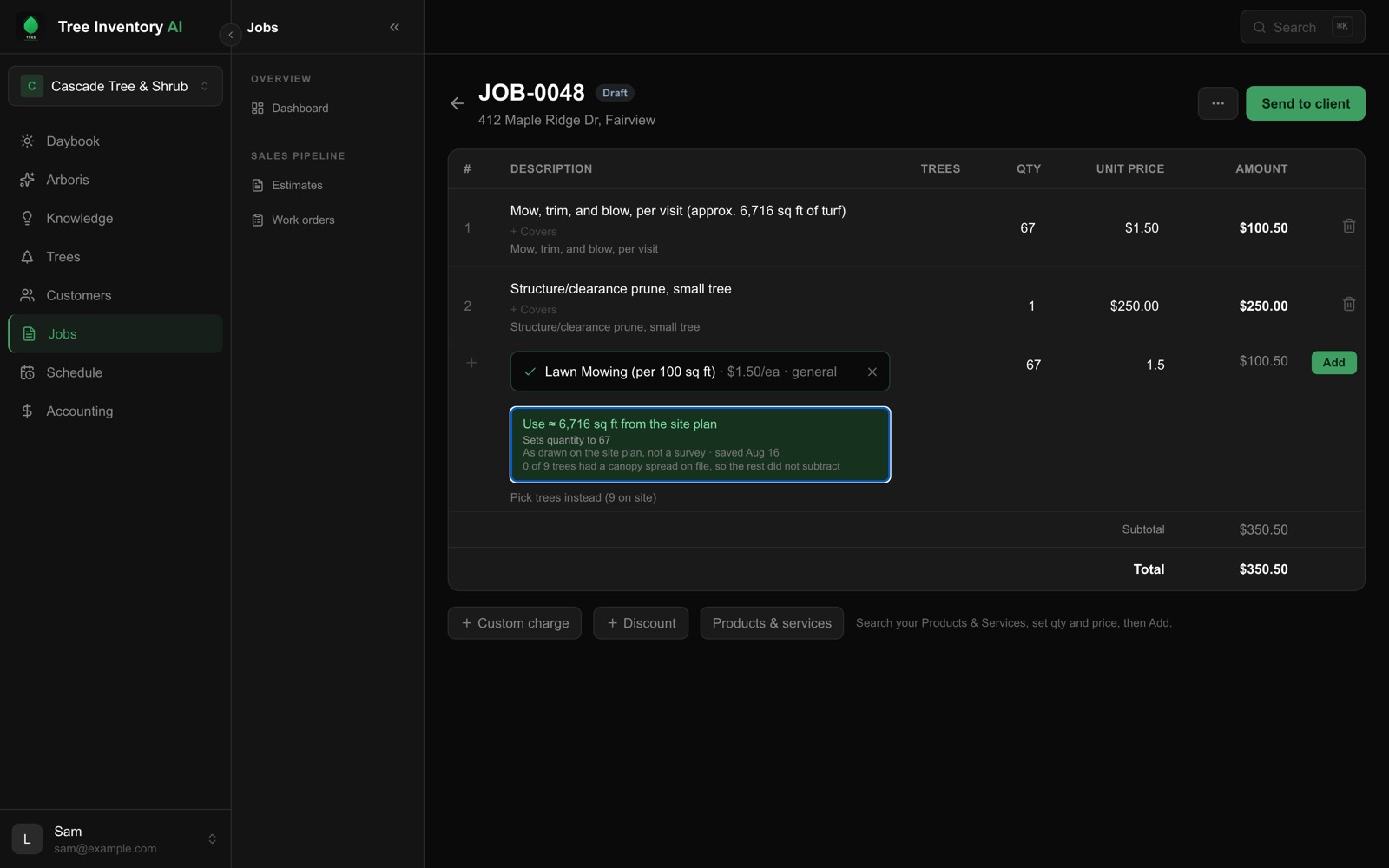
One click sets the quantity and notes the square footage on the line, so the customer can see where the number came from. After that the quantity is yours: edit it freely, and it is never changed behind your back if the plan moves later.
Worth knowing
What it will not do
The suggestion only appears once a lawn has been drawn. We will not infer one from the size of the property, because most of a property is not lawn and a mowing price repeats every visit, so a number invented once is wrong on every future invoice.
The mowing rate is a starting point, not a rule. It is an ordinary item in your service list: change the price to yours, and every estimate after that uses it.
This is on the web for now. Mobile comes later.