Add a tree without taking a photo
Drop a tree onto a property with no photo. Tap the map to place it exactly, or add it at your current location. It saves as Unidentified so you can name it, photograph it, or place it whenever.
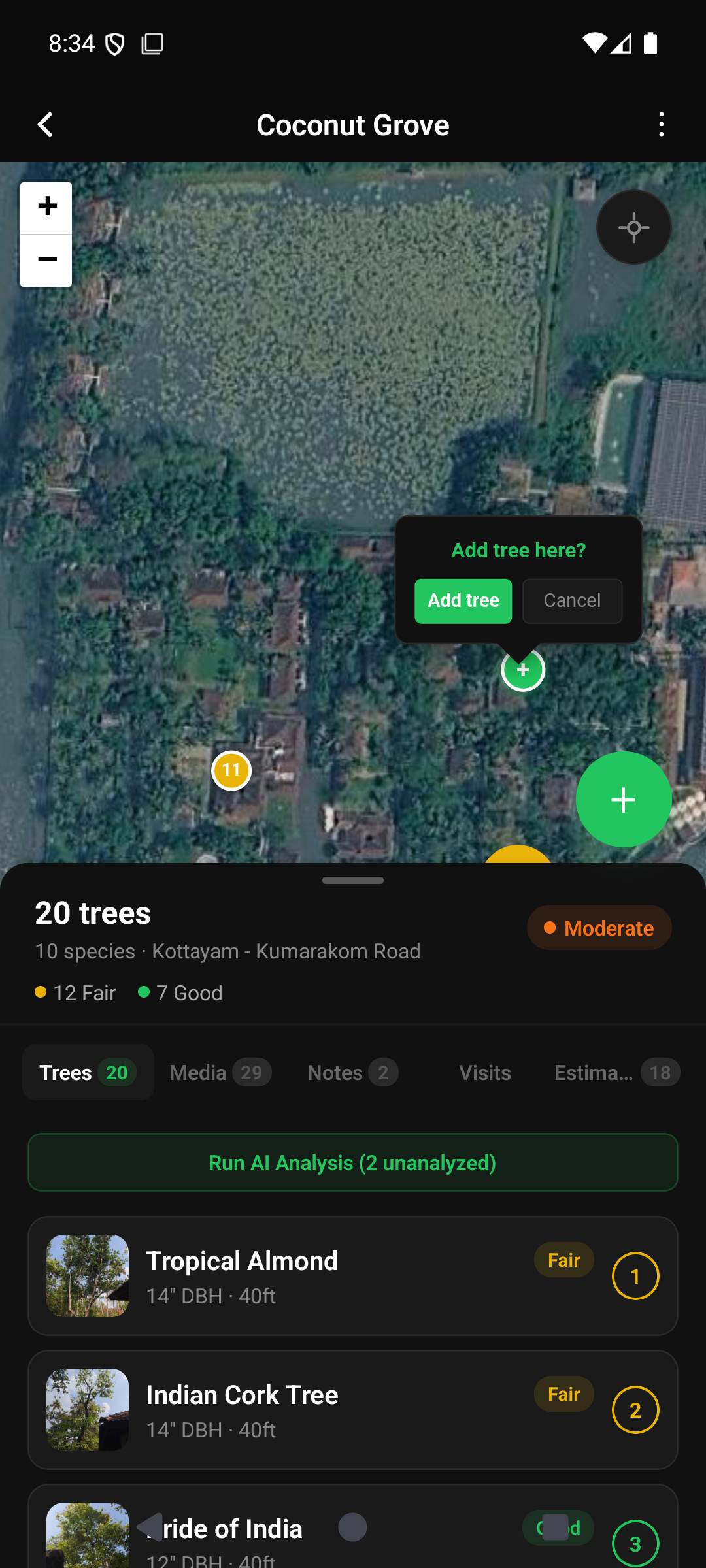
You can now drop a tree onto a property with no photo, two ways, both right next to the camera capture you already use:
- Tap the map. Long-press or double-tap where the tree is and hit Add tree. It lands at that exact spot, good for trees across a fence or street.
- Add at your location. Long-press the green + button and choose Add without photo. It uses your current GPS, and if there is no fix yet the tree still saves so you can place it after.
The tree is created right away as Unidentified. Open it, tap Edit Details, and name it with the same species picker that fills in the scientific name. You can add a photo later and run the AI on it then. Naming is never required to save. Works offline too, syncing when you are back on signal.
Straight from field feedback: “it would be nice to just be able to add a tree without a picture as well.” The camera flow is unchanged. This is an extra option, not a replacement.