Bad mornings: move a day, hand it over, or drop everything
Rained off, somebody off sick, or a tree on a house. A crew's day now moves, changes hands, or makes room for an emergency in one step, and tells you what no longer fits.
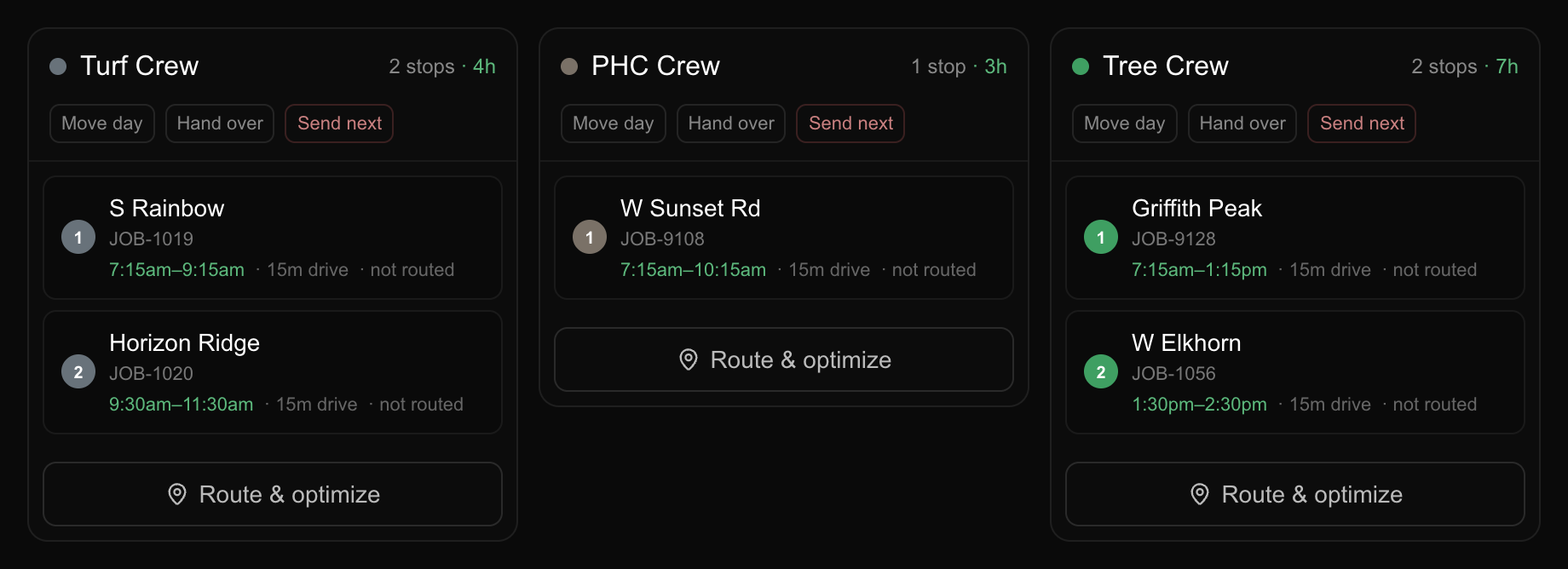
It rains. The crew stands down. Until now, putting that day somewhere else meant opening every job on it and rescheduling them one at a time, which is the worst possible moment to be doing anything one at a time.
Open Schedule, switch to Day, and each crew’s column now has a Move day button. It asks where: the next working day, two days, or a week. Pick one and the whole column goes together.
It counts working days, so a Friday pushed forward one day lands on Monday, not Saturday. Each option shows you the actual date it would land on before you choose, so you are never doing that arithmetic in your head.
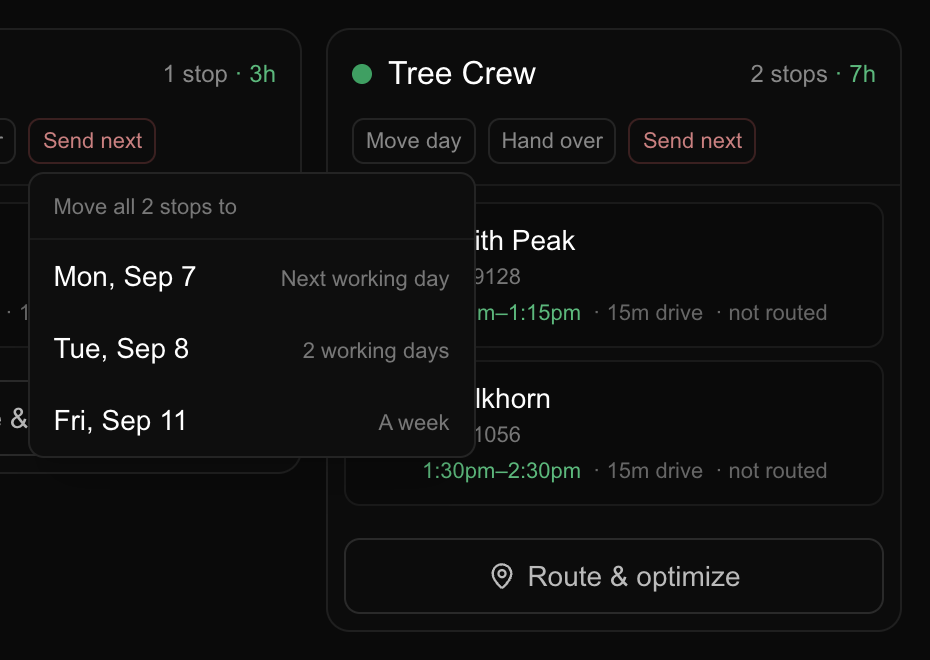
The day moves as a whole or not at all. There is no state where half the crew is on tomorrow and half is still on today, which is worse than not moving it, because nobody can read that board.
One case does not land with the rest. A job booked across several days already has the day you are moving to, so its stop from the moved day goes to the next working day after that instead. A two day job that loses its Friday becomes Monday and Tuesday: it keeps both days, they stay together, and Friday is clear. The message afterwards names that date separately, because a crew is going there a day later than everything else.
Finished and cancelled work does not move. That is history, not schedule.
Next to it is Hand over, for the other kind of bad morning. Somebody called in sick, the work still has to happen today, and their whole day goes to whoever is covering. Pick the crew, or pickNobody yet if you have not sorted cover, which is better than leaving it with people who are not coming in. The date does not change: that is the whole difference between the two buttons, and the menu says so while you are looking at it.
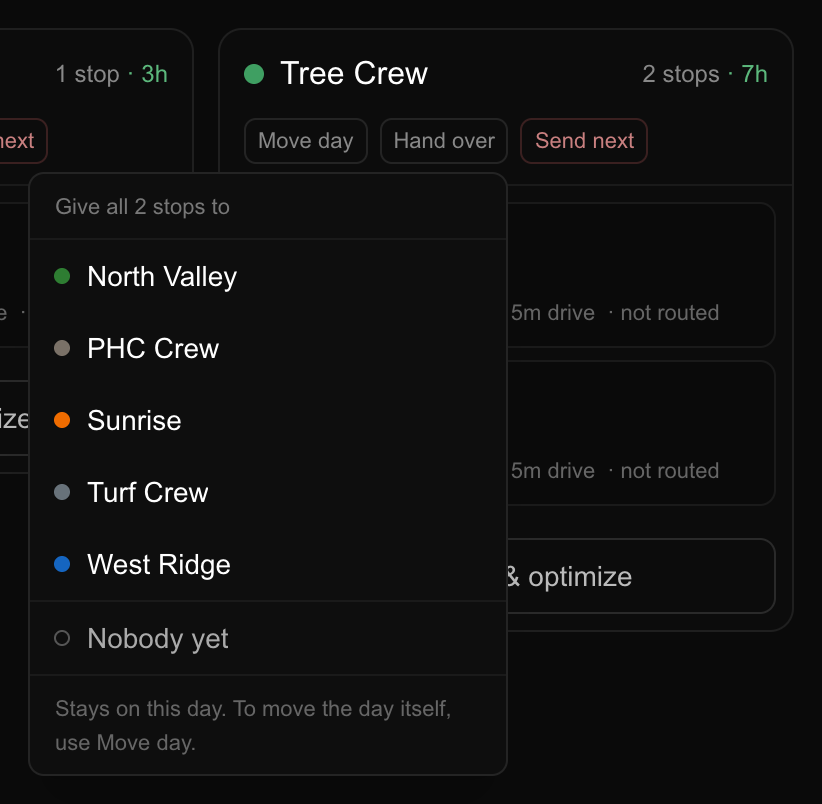
If the covering crew already has that same job booked for that day, that one stop stays where it is and the message tells you, because there is nowhere sensible to put it and that is your call, not ours.
And a third button, Send next, for the morning that is bad in the other direction. A tree comes down on somebody’s house and a crew has to go now. Pick the job and they go to the front of whatever they have left, or second if they are already up a tree somewhere.
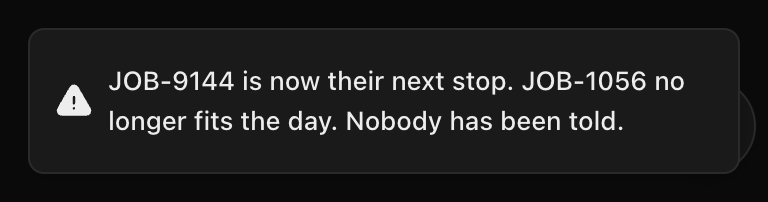
The important part is what it tells you afterwards. The emergency is going to happen, so something else is not, and the message names the jobs that no longer fit the day. Those jobs are still on the board, nothing was cancelled, and nobody has been told. Those calls are yours to make, and we would rather hand you the list than pretend the problem went away.
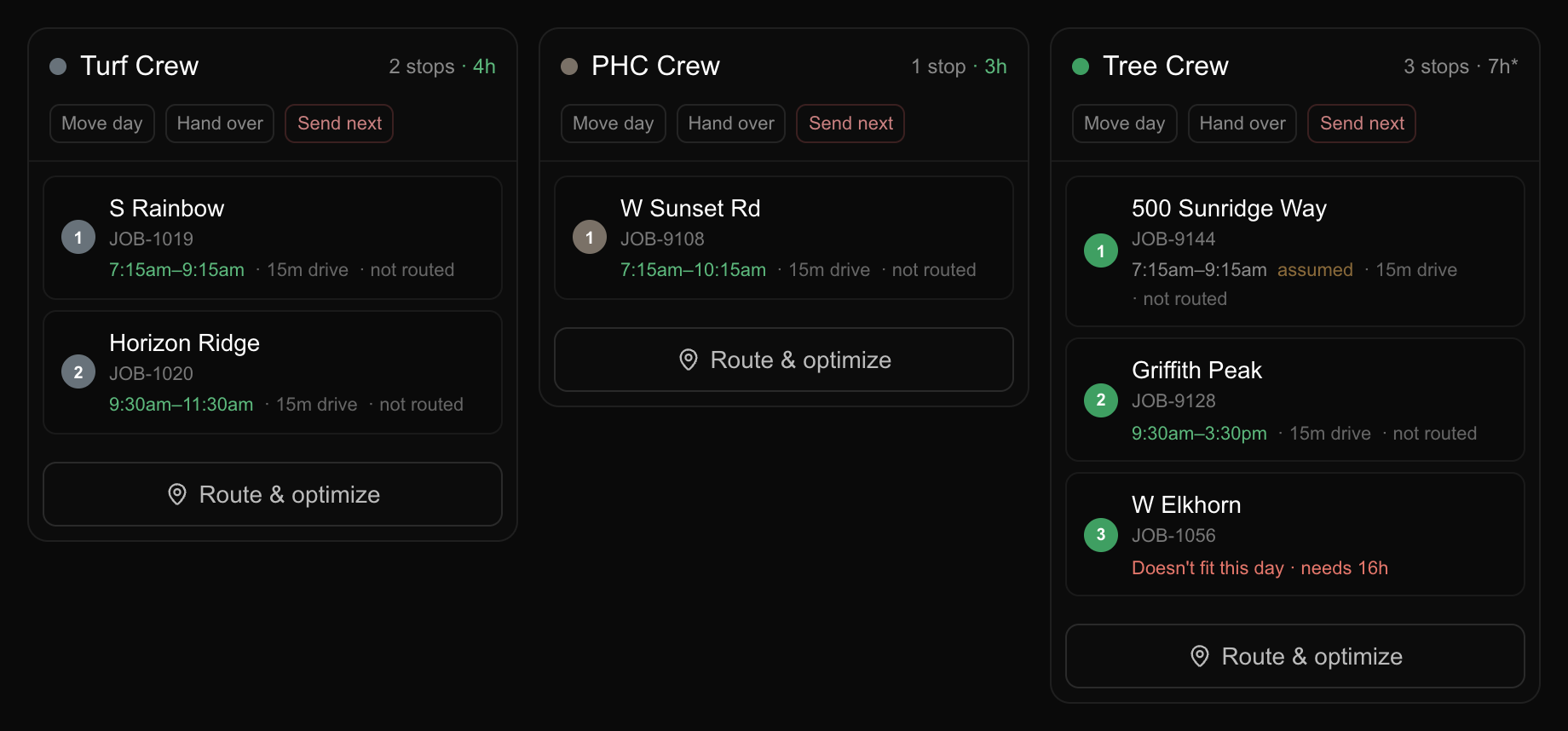
That day also gets pinned, so the route planner stops reshuffling it and the emergency stays where you put it. You can put the day back on automatic when things are normal again.
Three other places got all of them at the same time. You can ask Arboris (“it is raining Thursday, push the north crew to Friday”), and it will tell you how many stops are on that day and wait for you to say yes. And they are on the public API as POST /api/v1/schedule/bump and POST /api/v1/schedule/reassign and POST /api/v1/schedule/emergency, with a ready made prompt for each on the Playbooks page for anyone running their own assistant.
One thing it cannot do: call your customers. It hands you the list of who moved so you can start dialing.